The VIVO Manual Height Adjustable Standing Desk Riser review is for desk users who want a way to switch between sitting and standing without replacing their existing desk.
Its two-tier layout, manual lift, and 32-inch-wide top make it worth considering for a compact workstation, provided the desktop and equipment fit its stated limits.
VIVO Desk Riser Review Summary
The quick verdict
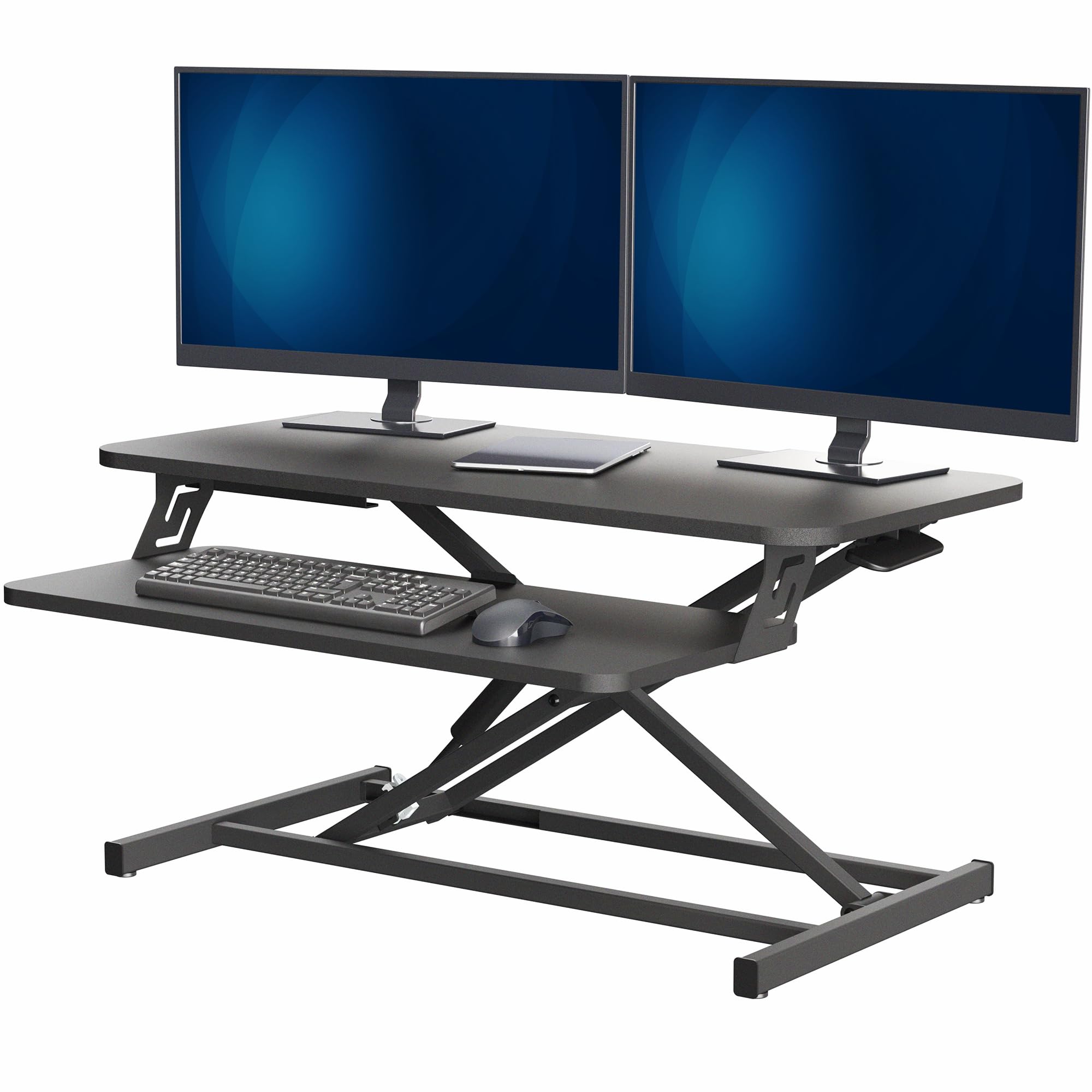
2,000+ ratings
Read Amazon ReviewsVIVO Manual Height Adjustable Standing Desk Riser
A compact sit-stand riser for desk users who want a manual height change, an integrated keyboard tray, and room for a monitor setup.
- Height adjustment runs from 4.9 to 19.7 inches, using a pneumatic spring lift and a simple touch height-locking mechanism.
- The top surface measures 31.5 by 15.8 inches, with a two-tier design that includes a separate keyboard tray.
- The keyboard tray rises in sync with the desktop, keeping both areas together as the riser changes height.
- The steel frame supports up to 26 pounds on the desktop.

Pros
- Adds a sit-stand option while using an existing desk.
- The keyboard tray moves with the main surface, so both parts rise together.
Consider before buying
- The 26-pound desktop limit calls for checking the combined weight of monitors, laptop, and other equipment.
- The 31.5-inch-wide, 15.8-inch-deep footprint needs a clear area on the existing desk.
Read the full review summary
This riser sits on an existing desk and raises its work surface from 4.9 to 19.7 inches with a pneumatic spring lift and height-locking mechanism.
The keyboard tray moves with the top, keeping a keyboard in reach as the workstation rises; the 31.5 by 15.8 inch desktop provides space for a monitor or a laptop-and-monitor arrangement.
Its appeal is practical rather than expansive: it creates a sit-stand option without requiring a full desk replacement, and the description calls for only attaching the keyboard tray before use.
The 26-pound desktop capacity means buyers should add up the weight of their screens and accessories, while also checking that the riser’s footprint leaves enough room on the desk.
The buying factors
VIVO Desk Riser Scorecard
Editorial scores reflect listed features and buyer fit; they are not laboratory measurements or customer ratings.
Height adjustment
The 4.9-to-19.7-inch range provides a substantial manual adjustment span for a desktop riser.
Work surface
A 31.5 by 15.8 inch top and a synchronized keyboard tray suit a focused monitor or laptop setup.
Load capacity
The desktop supports up to 26 pounds, so equipment weight deserves a careful check before buying.
Setup simplicity
The described setup is limited to placing the riser on a desk and attaching the tray.
Desk-space fit
Its 31.5-inch width is broad enough for a workstation while still requiring a clear section of the existing desk.
Sit-stand convenience
A spring lift and locking mechanism are designed for a direct manual change between sitting and standing positions.
Key Features and Specifications of VIVO Desk Riser
- Height adjustment runs from 4.9 to 19.7 inches, using a pneumatic spring lift and a simple touch height-locking mechanism.
- The top surface measures 31.5 by 15.8 inches, with a two-tier design that includes a separate keyboard tray.
- The keyboard tray rises in sync with the desktop, keeping both areas together as the riser changes height.
- The steel frame supports up to 26 pounds on the desktop.
- The lift design raises straight upward, which may help keep the workstation’s footprint consistent through adjustment.
- Setup involves placing the riser on an existing desk and attaching the keyboard tray.
- The manufacturer warranty is listed as three years.
Pros and Cons of VIVO Desk Riser
Pros
- Adds a sit-stand option while using an existing desk.
- The keyboard tray moves with the main surface, so both parts rise together.
- The 31.5-inch-wide top can accommodate a monitor or a laptop-and-monitor arrangement.
- The stated setup is brief and does not require assembling a complete desk.
Consider before buying
- The 26-pound desktop limit calls for checking the combined weight of monitors, laptop, and other equipment.
- The 31.5-inch-wide, 15.8-inch-deep footprint needs a clear area on the existing desk.
- Height changes are manual, so buyers seeking powered adjustment or saved height positions should check whether that style better suits their routine.
Who Should Buy VIVO Desk Riser?
Good fit
Consider this riser if your current desk works well for you but you want to alternate between sitting and standing.
The manual spring lift gives you a wide stated range, and the synchronized keyboard tray keeps the typing area connected to the main surface as it rises.
Before choosing it, measure the free desk area and total the weight of the equipment you plan to place on the desktop.
A monitor or laptop setup is a natural fit for the described surface, as long as it stays within the 26-pound capacity and leaves space for comfortable use.
The simple setup also suits someone who wants to get a workstation in place without building a new desk.
Check the height range against your chair, desk, and preferred standing posture, since comfort depends on how the riser fits your own setup.
Who should skip it
Skip this model if you need a full-size standing desk rather than a riser that sits on an existing desk, or if your planned desktop equipment exceeds its 26-pound limit.
Look elsewhere if you specifically want powered movement or stored height presets; this model is manually lifted.
How the VIVO Desk Riser Fits a Sit-Stand Workstation
A practical height range for a desktop converter
The 4.9-to-19.7-inch adjustment span gives the riser room to move from a low desktop position toward standing work. Since it rests on another desk, the usable working height includes both the supporting desk and the riser’s chosen position.
Measure your own seated and standing setups to see how that combined height aligns with your posture.
A two-tier layout that keeps typing close
The separate keyboard tray rises with the 31.5 by 15.8 inch top, so the keyboard area does not remain behind at desk level when the display surface moves.
That arrangement can make transitions easier to manage, though the available dimensions still call for checking whether your keyboard, mouse, and screen arrangement fit the space you have.
Mind the load and existing desk
The steel frame supports up to 26 pounds on the desktop.
Weigh the equipment you plan to place there, and consider how much of your existing desk the 31.5-inch width and 15.8-inch depth will occupy; those two checks help determine whether the riser fits both your gear and your workspace.
Manual adjustment and setup
A pneumatic spring lift with a locking mechanism is designed to make height changes a manual, direct action. The described setup is limited to placing the unit on the desk and attaching the tray.
This approach suits buyers who prefer a desktop converter and a simple installation, while frequent users should consider whether manual adjustment matches how often they plan to change positions.
Alternatives to VIVO Desk Riser
Computer Monitor Stands alternative
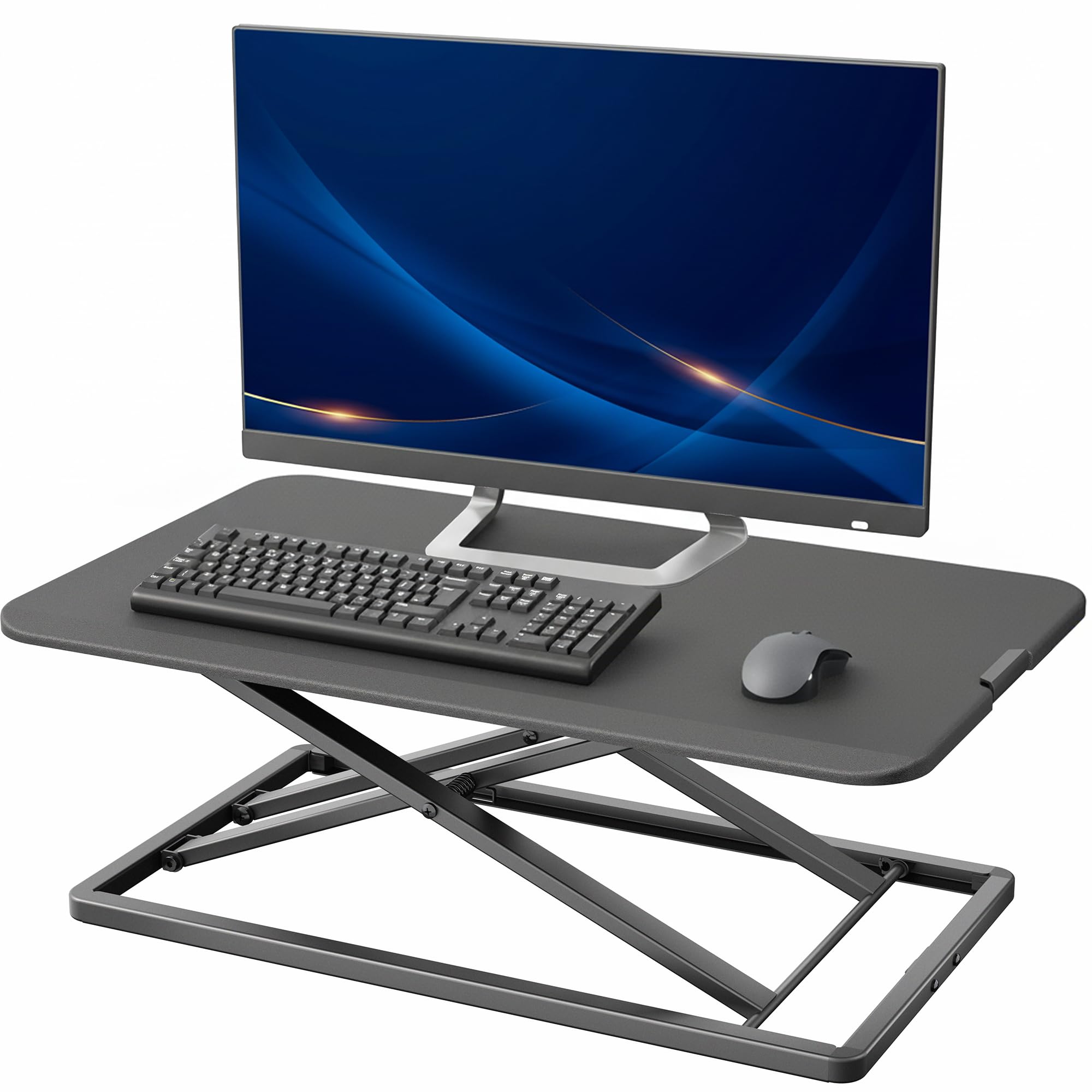
700+ ratings
Read Amazon ReviewsVIVO Manual Height Adjustable Standing Desk Converter, 29-inch
Choose the main riser if its two-tier layout and higher adjustment range better match your setup.
Consider the 29-inch converter if you prefer one work surface, a narrower width, and a unit that arrives fully assembled; compare the dimensions and load limits with your actual equipment.
- This 29-inch converter has a 29.3 by 17.8 inch single surface, adjusts from 1.8 to 16.2 inches, supports up to 22 pounds, and arrives preassembled.
- The 32-inch riser has a 31.5 by 15.8 inch desktop, a synchronized keyboard tray, a 4.9-to-19.7-inch adjustment range, and a 26-pound desktop capacity.
Computer Monitor Stands alternative
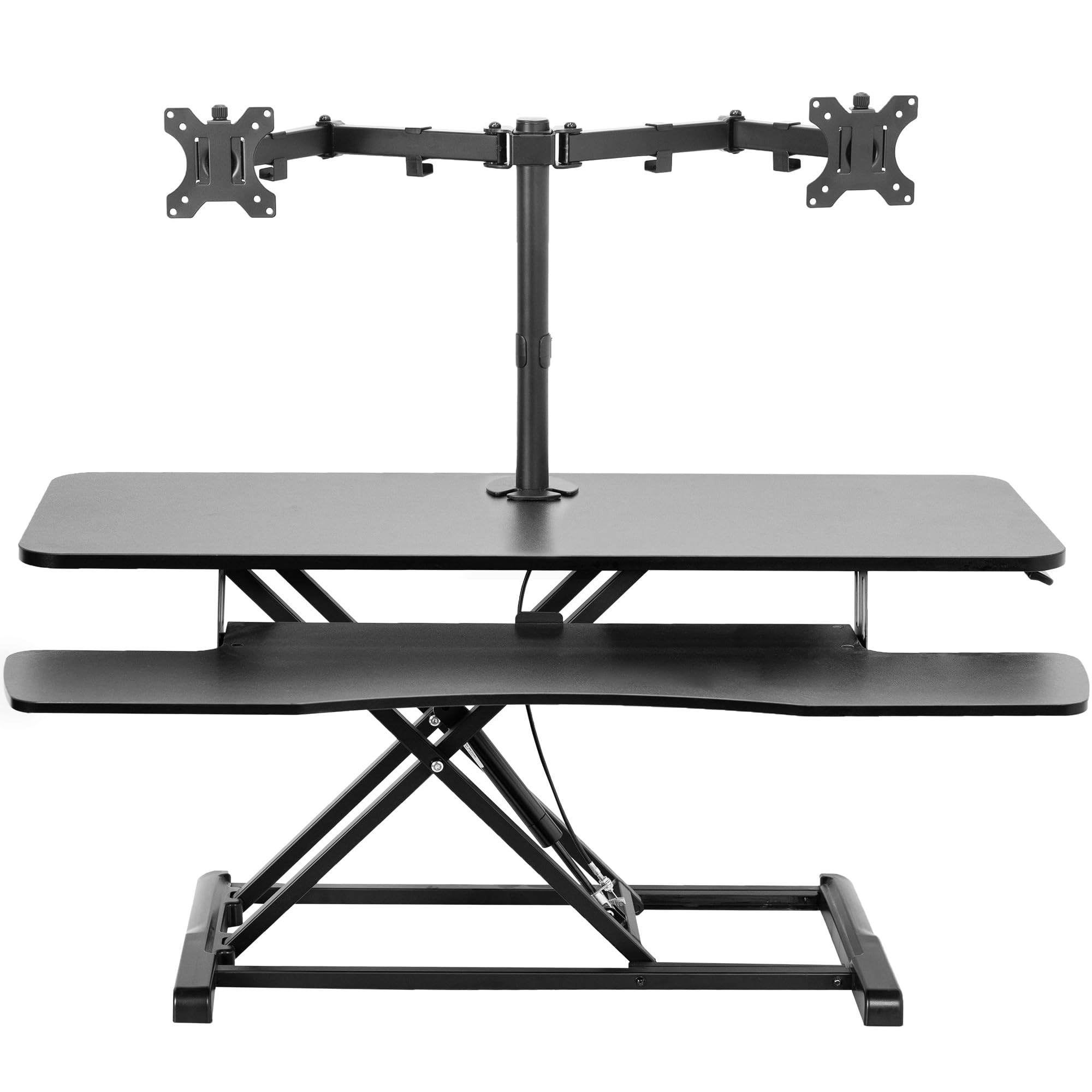
600+ ratings
Read Amazon ReviewsVIVO Standing Desk Converter with Dual Monitor Stand, 42-inch
The 42-inch model is a closer fit if you need a wider workstation and an integrated mount for two compatible VESA monitors.
The main riser is the more compact option if you want its 32-inch surface and do not need a built-in dual-screen mount.
- This 42-inch converter combines a 42 by 15.7 inch surface and 42-inch keyboard tray with an integrated dual monitor mount for two screens from 13 to 30 inches, up to 17.6 pounds each; its adjustment range is 4.5 to 20 inches.
- The main riser has a 31.5 by 15.8 inch desktop, a keyboard tray, a manual 4.9-to-19.7-inch range, and a 26-pound desktop capacity.
Is VIVO Desk Riser Worth It?
The VIVO Manual Height Adjustable Standing Desk Riser is worth considering for someone who wants a compact manual sit-stand setup on an existing desk.
Its useful adjustment range, synchronized keyboard tray, and straightforward setup make the design easy to understand.
Measure the available desk area, check your preferred working heights, and keep the complete desktop load within 26 pounds before buying.
If those conditions fit, this riser offers a practical way to add standing work without replacing the desk.
Your review at a glance
2,000+ ratings
Read Amazon ReviewsVIVO Manual Height Adjustable Standing Desk Riser
A compact sit-stand riser for desk users who want a manual height change, an integrated keyboard tray, and room for a monitor setup.
- Height adjustment runs from 4.9 to 19.7 inches, using a pneumatic spring lift and a simple touch height-locking mechanism.
- The top surface measures 31.5 by 15.8 inches, with a two-tier design that includes a separate keyboard tray.
- The keyboard tray rises in sync with the desktop, keeping both areas together as the riser changes height.
- The steel frame supports up to 26 pounds on the desktop.