The VIVO Dual LED LCD Monitor Mount review centers on a freestanding stand built for two screens, including ultrawides up to 38 inches.
Its wide range of adjustment and desk-friendly base suit flexible workspaces, though the base footprint and monitor positioning deserve a careful fit check.
VIVO Dual Mount Review Summary
The quick verdict
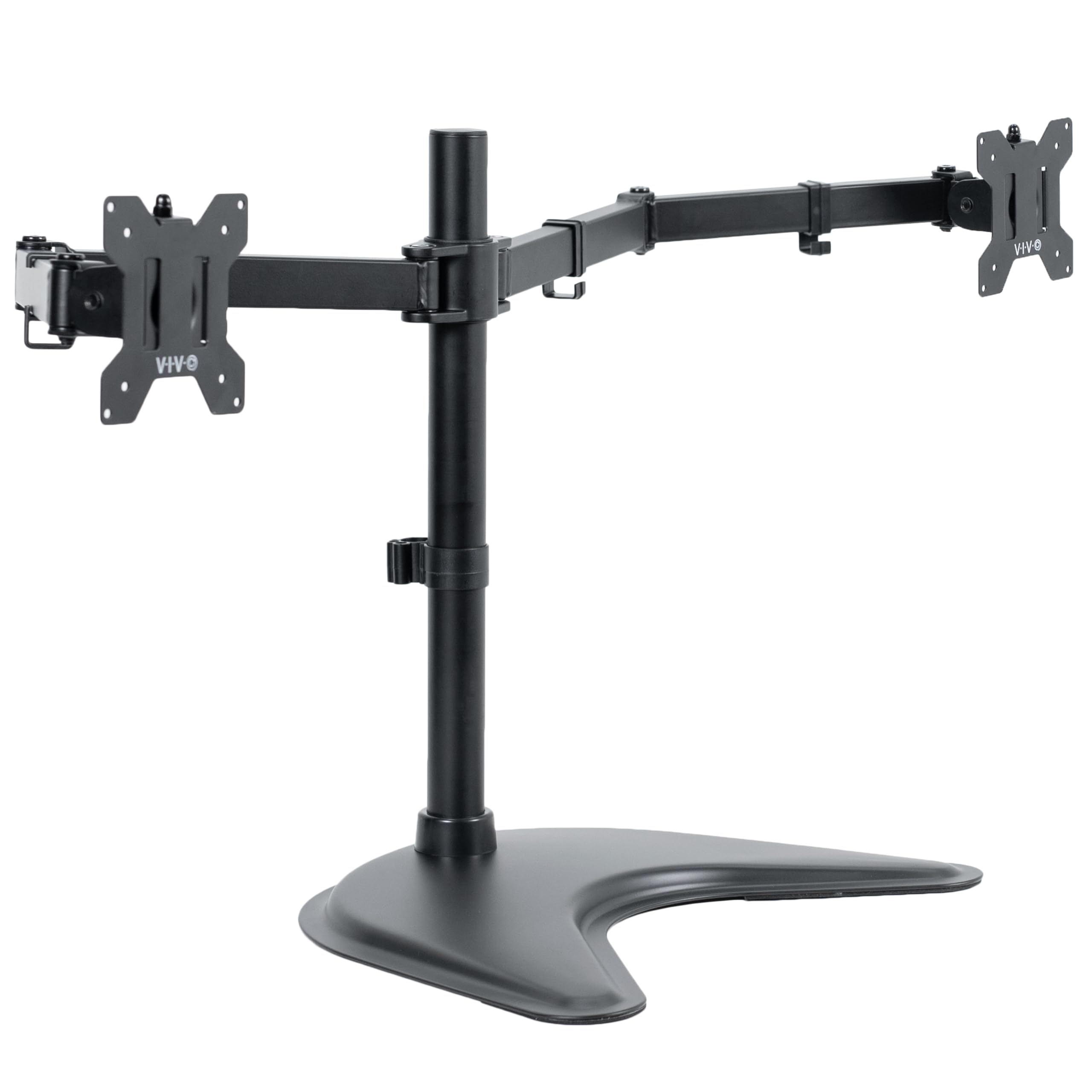
16,000+ ratings
Read Amazon ReviewsVIVO STAND-V038F Dual Monitor Mount
A freestanding dual-screen stand for buyers who need broad monitor compatibility and flexible positioning without a desk clamp.
- Freestanding dual-monitor design for two screens measuring 13 to 38 inches.
- Supports up to 22 pounds per screen with VESA 75x75mm or 100x100mm mounting holes.
- Adjustable arms provide +90° to -90° tilt, 180° swivel, and 360° rotation, with height adjustment along the center pole.
- A 16.3-by-12.8-inch base has padding underneath to help protect the desk surface.

Pros
- Handles two large screens, including displays up to 38 inches, within the stated weight and VESA limits.
- Offers several adjustments for setting screen angle and orientation.
Consider before buying
- The base takes up a 16.3-by-12.8-inch section of the desktop.
- Screen placement needs to stay within the base’s center of gravity unless the stand is bolted down.
Read the full review summary
The STAND-V038F combines support for two 13-to-38-inch displays with a 22-pound limit per screen, standard VESA 75x75 or 100x100 mounting patterns, and independently adjustable positioning.
Tilt, swivel, rotation, and height adjustment give you room to align a mixed or dual-screen setup around your preferred viewing position. Detachable VESA plates and cable clips also simplify installation and tidy the visible wiring.
Its freestanding design is the defining choice: the padded 16.3-by-12.8-inch base rests on the desktop, so it does not require a desk edge clamp. That can work well where clamping is inconvenient, but it occupies meaningful surface area.
The manufacturer advises keeping the screens near the base’s center of gravity unless the stand is bolted down, so this is best for buyers who can position the screens without pulling them far forward or backward.
The buying factors
VIVO Dual Mount Scorecard
Editorial scores reflect listed features and buyer fit; they are not laboratory measurements or customer ratings.
Screen size range
Supports two screens from 13 to 38 inches, a broad range that includes ultrawides.
Weight capacity
The 22-pound limit per screen accommodates many displays, provided each screen stays within that weight.
Positioning flexibility
Tilt, 180-degree swivel, 360-degree rotation, and center-pole height adjustment allow several useful viewing configurations.
Desk-space efficiency
Lifting screens can free the area beneath them, but the freestanding base itself measures 16.3 by 12.8 inches.
Installation convenience
Detachable VESA plates, included hardware, and instructions should make mounting more straightforward.
Cable organization
Detachable clips on the arms and center pole provide a practical route for power and AV cables.
Key Features and Specifications of VIVO Dual Mount
- Freestanding dual-monitor design for two screens measuring 13 to 38 inches.
- Supports up to 22 pounds per screen with VESA 75x75mm or 100x100mm mounting holes.
- Adjustable arms provide +90° to -90° tilt, 180° swivel, and 360° rotation, with height adjustment along the center pole.
- A 16.3-by-12.8-inch base has padding underneath to help protect the desk surface.
- Detachable VESA plates, assembly instructions, and hardware are included.
- Detachable cable clips on the arms and center pole help organize power and AV cables.
- The stand is covered by a three-year warranty.
Pros and Cons of VIVO Dual Mount
Pros
- Handles two large screens, including displays up to 38 inches, within the stated weight and VESA limits.
- Offers several adjustments for setting screen angle and orientation.
- Freestanding mounting avoids needing to attach a clamp to the desk edge.
- Padded base and cable clips address desk protection and cable tidiness.
Consider before buying
- The base takes up a 16.3-by-12.8-inch section of the desktop.
- Screen placement needs to stay within the base’s center of gravity unless the stand is bolted down.
- Each display must weigh no more than 22 pounds and have a compatible VESA pattern.
Who Should Buy VIVO Dual Mount?
Good fit
Consider the VIVO STAND-V038F if you want to raise two monitors from the desk and need a stand that supports screens up to 38 inches.
Its combination of freestanding installation and full articulation is useful when a desk-edge clamp is impractical or when you want to reposition screens after setup.
Before choosing it, measure the available surface for the 16.3-by-12.8-inch base and map where the screens will sit. Check the weight of each monitor and confirm its rear mounting pattern is VESA 75x75mm or 100x100mm.
If the desired layout keeps the screens close to the stand, the design’s stated placement guidance is easier to follow.
Who should skip it
Skip this model if your monitors exceed 22 pounds each, lack the stated VESA mounting pattern, or are larger than 38 inches.
Look elsewhere if your desk cannot spare the base footprint or your preferred layout requires pulling the screens far forward or backward without bolting the stand down.
How the VIVO Dual Mount Fits a Two-Screen Desk
Freestanding installation and desk layout
The base removes the need to secure a clamp to the desk edge, which can simplify placement when that edge is unsuitable.
The tradeoff is a fixed footprint on the desktop: measure the base area and check that it will not crowd a keyboard, laptop, or other equipment.
Planning the screens’ position at the same time helps keep them within the center-of-gravity guidance.
Compatibility for larger displays
A 38-inch maximum makes this stand relevant to buyers whose screens are larger than typical compact office monitors.
Size alone is not enough to establish fit, however: each screen must weigh no more than 22 pounds and use one of the two supported VESA hole patterns.
Check those details for both displays before assembly, especially if they differ in size or weight.
Making the most of articulation
The combination of tilt, swivel, rotation, and height adjustment makes it possible to change screen orientation and viewing angles. This is useful for tailoring a dual-screen arrangement to desk tasks or moving between landscape and portrait layouts.
The description does not specify a height range, so confirm that the center-pole adjustment can place the screens at the height you need.
Assembly and cable routing
Detachable VESA plates let you attach each monitor to its plate before placing it on the arms, while the included hardware and instructions support the setup process.
Clips along the arms and pole provide a path for cables, which can keep wires from hanging loosely across the work area. Leave enough slack for the intended screen movement when arranging those cables.
Alternatives to VIVO Dual Mount
Computer Monitor Arms alternative
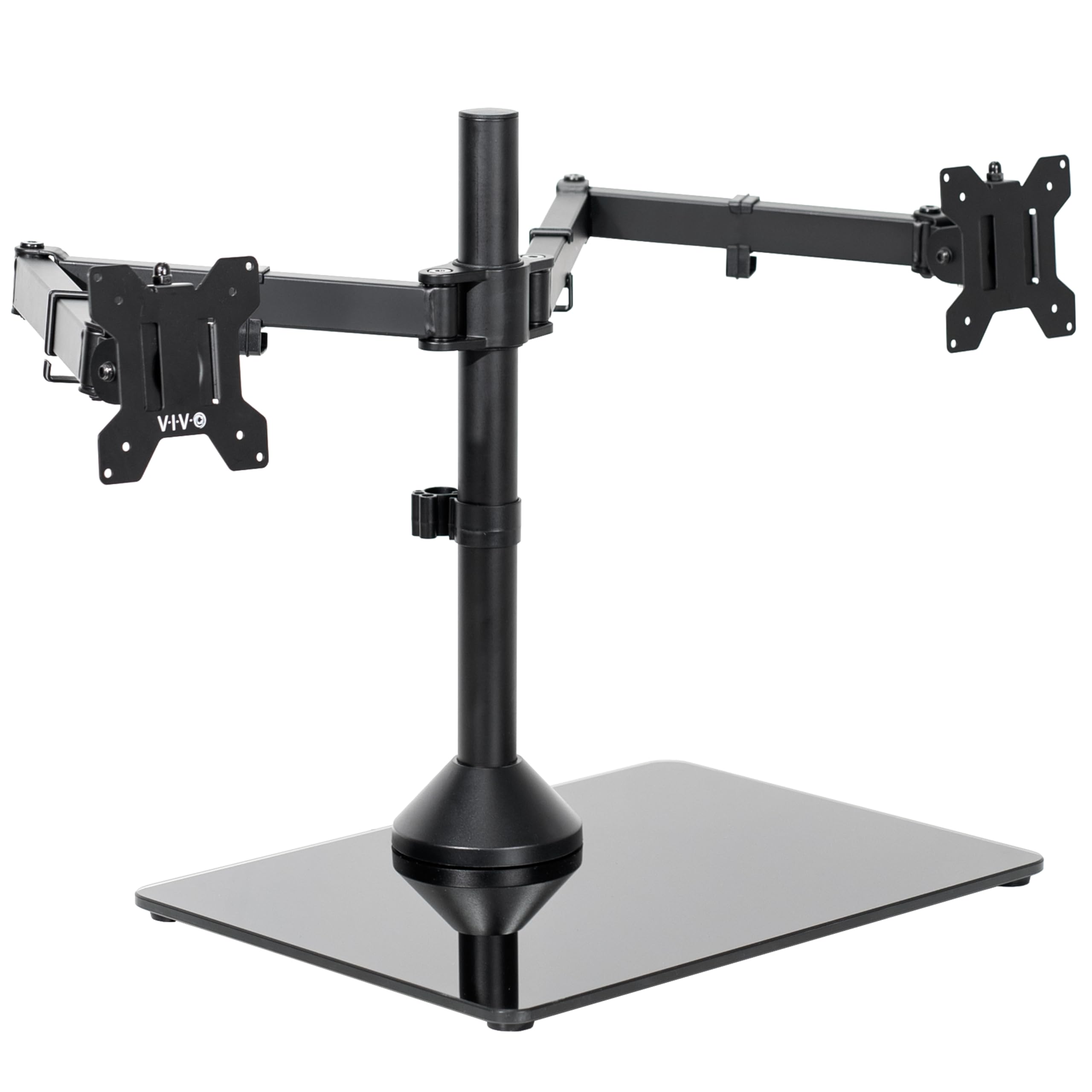
2,000+ ratings
Read Amazon ReviewsVIVO STAND-V038FG Dual Ultrawide Monitor Mount
Consider the STAND-V038FG if you want the same broad screen-size and weight limits with a tempered-glass base. Choose the STAND-V038F if its specified base dimensions better suit your desk; compare the footprint with your available surface before deciding.
- The STAND-V038FG also supports two screens up to 38 inches and 22 pounds each, with a 17-by-12.8-inch tempered-glass base and steel pole and arms.
- The STAND-V038F uses a padded base measuring 16.3 by 12.8 inches and supports two screens up to 38 inches and 22 pounds each.
Computer Monitor Arms alternative
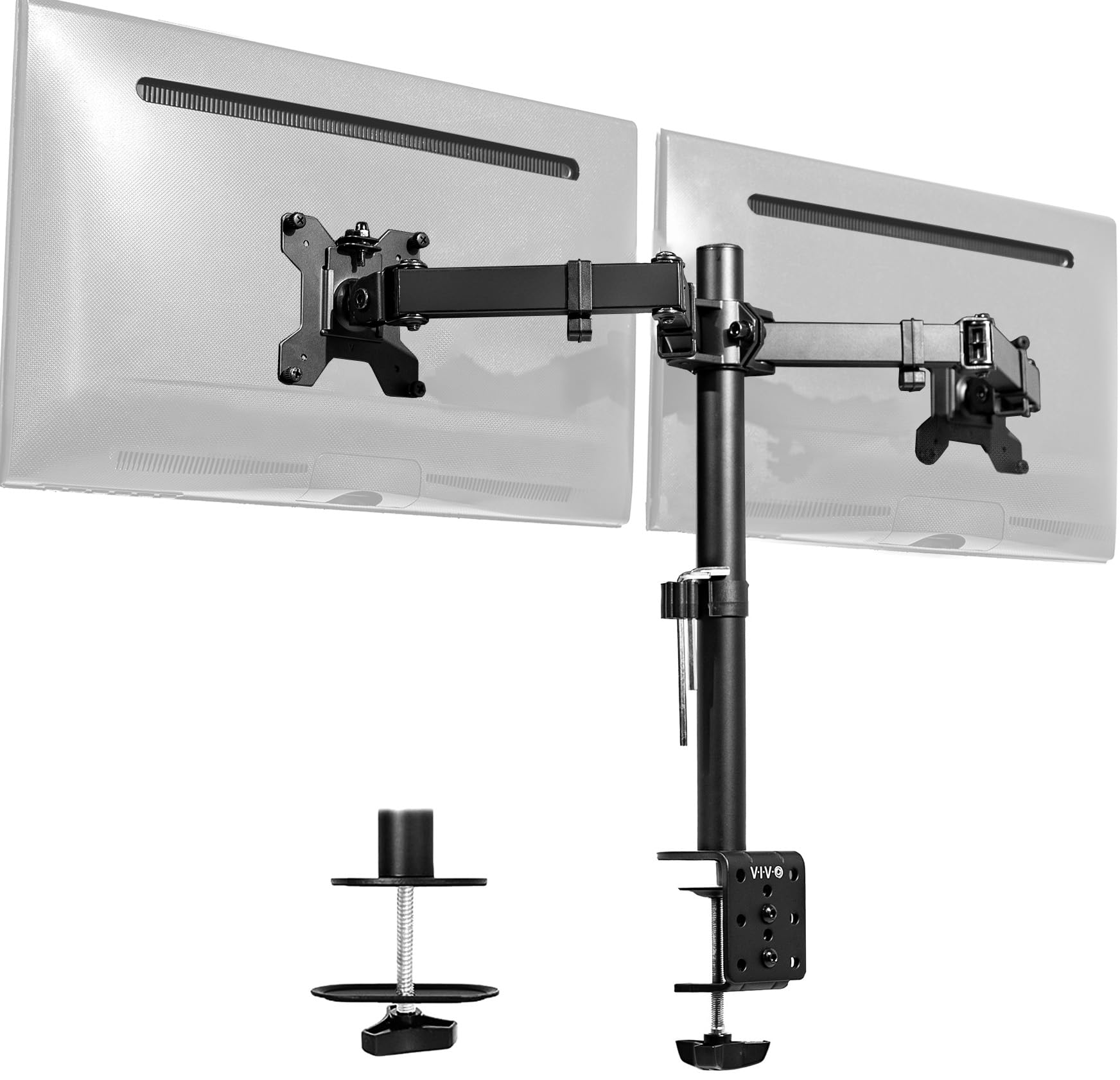
60,000+ ratings
Read Amazon ReviewsVIVO STAND-V002 Dual Monitor Desk Mount
The STAND-V002 may suit buyers whose monitors are 30 inches or smaller and who prefer to secure the mount to the desk rather than use a freestanding base.
The STAND-V038F offers the larger stated screen-size limit and avoids a desk-edge clamp.
- The STAND-V002 supports two 13-to-30-inch screens up to 22 pounds each and attaches by C-clamp or optional grommet mount; its clamp fits desks up to 3.25 inches thick.
- The STAND-V038F is freestanding and supports two displays up to 38 inches, with a 22-pound limit per screen.
Is VIVO Dual Mount Worth It?
The VIVO STAND-V038F is worth considering for a dual-screen setup that needs support for monitors up to 38 inches, broad positioning adjustments, and freestanding installation.
Its compatibility limits are clear, and the included VESA plates and cable clips help make the setup practical.
Measure the base area and plan the screens’ placement before buying.
If both monitors fit the weight and VESA requirements and can stay near the base’s center of gravity, this stand offers a flexible way to arrange them; otherwise, its footprint or placement guidance may make another mounting style a better fit.
Your review at a glance
16,000+ ratings
Read Amazon ReviewsVIVO STAND-V038F Dual Monitor Mount
A freestanding dual-screen stand for buyers who need broad monitor compatibility and flexible positioning without a desk clamp.
- Freestanding dual-monitor design for two screens measuring 13 to 38 inches.
- Supports up to 22 pounds per screen with VESA 75x75mm or 100x100mm mounting holes.
- Adjustable arms provide +90° to -90° tilt, 180° swivel, and 360° rotation, with height adjustment along the center pole.
- A 16.3-by-12.8-inch base has padding underneath to help protect the desk surface.