The TP-Link USB WiFi 6 Adapter review centers on a desktop-focused way to add dual-band 802.11ax connectivity, with adjustable antennas and a one-meter USB cable.
The Archer TX20U Plus is best suited to Windows 10 and 11 PCs whose owners want placement flexibility as well as a newer WiFi standard.
Archer TX20U Plus Review Summary
The quick verdict
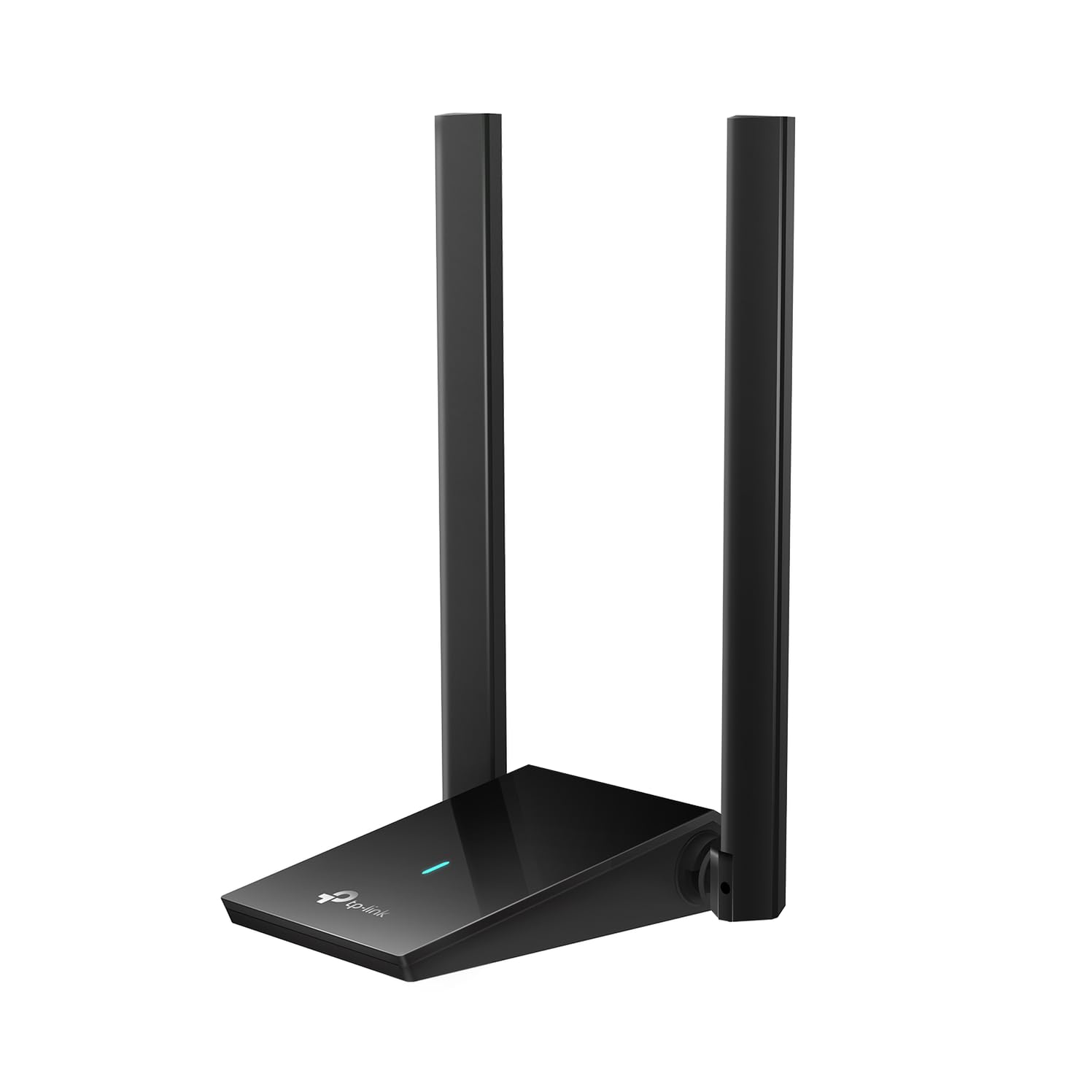
10,000+ ratings
Read Amazon ReviewsTP-Link Archer TX20U Plus
A practical fit for Windows desktop users who need dual-band WiFi 6, adjustable antennas, and flexible USB placement.
- WiFi 6 (802.11ax) USB adapter with an advertised combined wireless rate of up to 1.8 Gbps.
- Dual-band connectivity: up to 1201 Mbps on 5GHz and up to 574 Mbps on 2.4GHz.
- Two high-gain antennas with beamforming and adjustable, multidirectional positioning.
- MU-MIMO and OFDMA support, designed to help manage wireless traffic and congestion.

Pros
- Brings WiFi 6 and both common WiFi bands to a desktop through USB.
- The cable and movable antennas offer more positioning choices than a device fixed directly at a computer port.
Consider before buying
- The specified Windows support is limited to Windows 10 and 11, so users of other systems should confirm driver compatibility before purchase.
- A USB 3.0 port is recommended to reach optimal performance, so the available port and its location may affect setup.
Read the full review summary
The Archer TX20U Plus combines WiFi 6, 2.4GHz and 5GHz support, MU-MIMO, and OFDMA in a USB adapter built around a pair of high-gain antennas.
Its advertised maximum combined rate is up to 1.8 Gbps, with up to 1201 Mbps on 5GHz and up to 574 Mbps on 2.4GHz; those are theoretical link rates, not a promise of internet speed.
Its one-meter USB 3.0 cable and adjustable, multidirectional antennas make it a considered option for desktop setups where the computer’s rear ports or position are inconvenient.
Windows 10 and 11 are the stated supported systems; Mac users should check the driver process and compatibility before buying, as manual driver upload is required for Mac OS.
The buying factors
Archer TX20U Plus Scorecard
Editorial scores reflect listed features and buyer fit; they are not laboratory measurements or customer ratings.
WiFi 6 feature set
Adds 802.11ax support along with MU-MIMO and OFDMA, useful features for a compatible network and busy wireless environment.
Dual-band flexibility
Supports both 2.4GHz and 5GHz, with separate maximum link rates provided for each band.
Antenna adjustment
Two high-gain antennas can be adjusted in multiple directions to help position the adapter for reception.
Desktop placement
The included one-meter USB 3.0 cable allows the adapter to sit away from the computer’s port.
Setup compatibility
Windows 10 and 11 support is specified, while Mac OS requires manual driver upload and merits a compatibility check.
Security feature
WPA3 support is a useful option when the router and network configuration also support it.
Key Features and Specifications of Archer TX20U Plus
- WiFi 6 (802.11ax) USB adapter with an advertised combined wireless rate of up to 1.8 Gbps.
- Dual-band connectivity: up to 1201 Mbps on 5GHz and up to 574 Mbps on 2.4GHz.
- Two high-gain antennas with beamforming and adjustable, multidirectional positioning.
- MU-MIMO and OFDMA support, designed to help manage wireless traffic and congestion.
- One-meter USB 3.0 cable for more flexible desktop placement; USB 3.0 is recommended for optimal performance.
- WPA3 support; Windows 10 and 11 (32-bit and 64-bit) are specified. Mac OS requires manual driver upload.
Pros and Cons of Archer TX20U Plus
Pros
- Brings WiFi 6 and both common WiFi bands to a desktop through USB.
- The cable and movable antennas offer more positioning choices than a device fixed directly at a computer port.
- Includes modern network features such as WPA3, MU-MIMO, and OFDMA.
- The separate band-rate figures make its advertised wireless capacity easy to understand.
Consider before buying
- The specified Windows support is limited to Windows 10 and 11, so users of other systems should confirm driver compatibility before purchase.
- A USB 3.0 port is recommended to reach optimal performance, so the available port and its location may affect setup.
- The maximum wireless rates describe link capacity; actual throughput depends on the router, connection, placement, and other network conditions.
Who Should Buy Archer TX20U Plus?
Good fit
Consider the Archer TX20U Plus if your Windows 10 or 11 desktop needs WiFi 6 and you want to place the adapter where its antennas can be adjusted.
The one-meter cable is particularly useful when the tower sits under a desk or its ports are not ideally positioned for a wireless adapter.
It also makes sense if your router supports the features you plan to use.
Check that the router offers a compatible WiFi 6 network and, for WPA3, that its security settings support it; otherwise, some of the adapter’s newer capabilities may not be used.
Before installing, plan to use a USB 3.0 port and disable the computer’s internal WiFi as directed. Mac users should verify the manual driver process for their specific setup before relying on this adapter.
Who should skip it
Skip it if you need a plug-and-play purchase for an operating system other than Windows 10 or 11 and cannot confirm driver support. Mac OS specifically involves manual driver upload, so account for that setup step.
It may not suit buyers who cannot spare a USB 3.0 port or whose priority is a measured real-world speed guarantee. The published maximum rates alone cannot predict performance in a particular room or network.
What the Archer TX20U Plus Means for a Desktop WiFi Upgrade
Dual bands give you a choice
The adapter can connect over either 2.4GHz or 5GHz. The higher listed maximum is on 5GHz, while having both bands lets a compatible router and computer use the option that better fits their range, congestion, and network conditions.
The figures are maximum link rates, so treat them as capacity indicators rather than expected download speeds.
Placement is part of the design
A USB cable measuring one meter lets you move the adapter away from the chassis, and the two antennas can be adjusted in multiple directions.
That gives desktop owners room to experiment with orientation and position; it does not guarantee a stronger signal in every location, since walls, router placement, and interference still matter.
WiFi 6 features depend on the network
WiFi 6, MU-MIMO, and OFDMA are most relevant when the rest of the network can work with them.
In a compatible setup, these features are intended to improve how devices share wireless capacity, but this adapter cannot upgrade the router itself. Check your router’s standards and capabilities before paying for features you may not use.
Compatibility and installation deserve a check
Windows 10 and 11, in both 32-bit and 64-bit versions, are listed as supported, and the installation guidance recommends USB 3.0.
Mac OS requires manual driver upload, making it sensible to confirm that process and compatibility before choosing it for a Mac. The instruction to disable internal WiFi first is also worth following during installation.
Alternatives to Archer TX20U Plus
No alternative model is recommended here. Compare the design and features that matter to your routine before choosing another option.
Is Archer TX20U Plus Worth It?
The TP-Link Archer TX20U Plus is worth considering for a Windows 10 or 11 desktop user who wants dual-band WiFi 6, adjustable antennas, and the freedom to position an adapter on a one-meter USB cable.
Its WPA3, MU-MIMO, and OFDMA support round out a capable feature set when the router can use them.
Choose it with realistic expectations: the maximum rates are not guaranteed throughput, and setup depends on a USB 3.0 port and compatible drivers.
For Mac use or any system outside the specified Windows versions, confirm compatibility and installation requirements first.
Your review at a glance
10,000+ ratings
Read Amazon ReviewsTP-Link Archer TX20U Plus
A practical fit for Windows desktop users who need dual-band WiFi 6, adjustable antennas, and flexible USB placement.
- WiFi 6 (802.11ax) USB adapter with an advertised combined wireless rate of up to 1.8 Gbps.
- Dual-band connectivity: up to 1201 Mbps on 5GHz and up to 574 Mbps on 2.4GHz.
- Two high-gain antennas with beamforming and adjustable, multidirectional positioning.
- MU-MIMO and OFDMA support, designed to help manage wireless traffic and congestion.