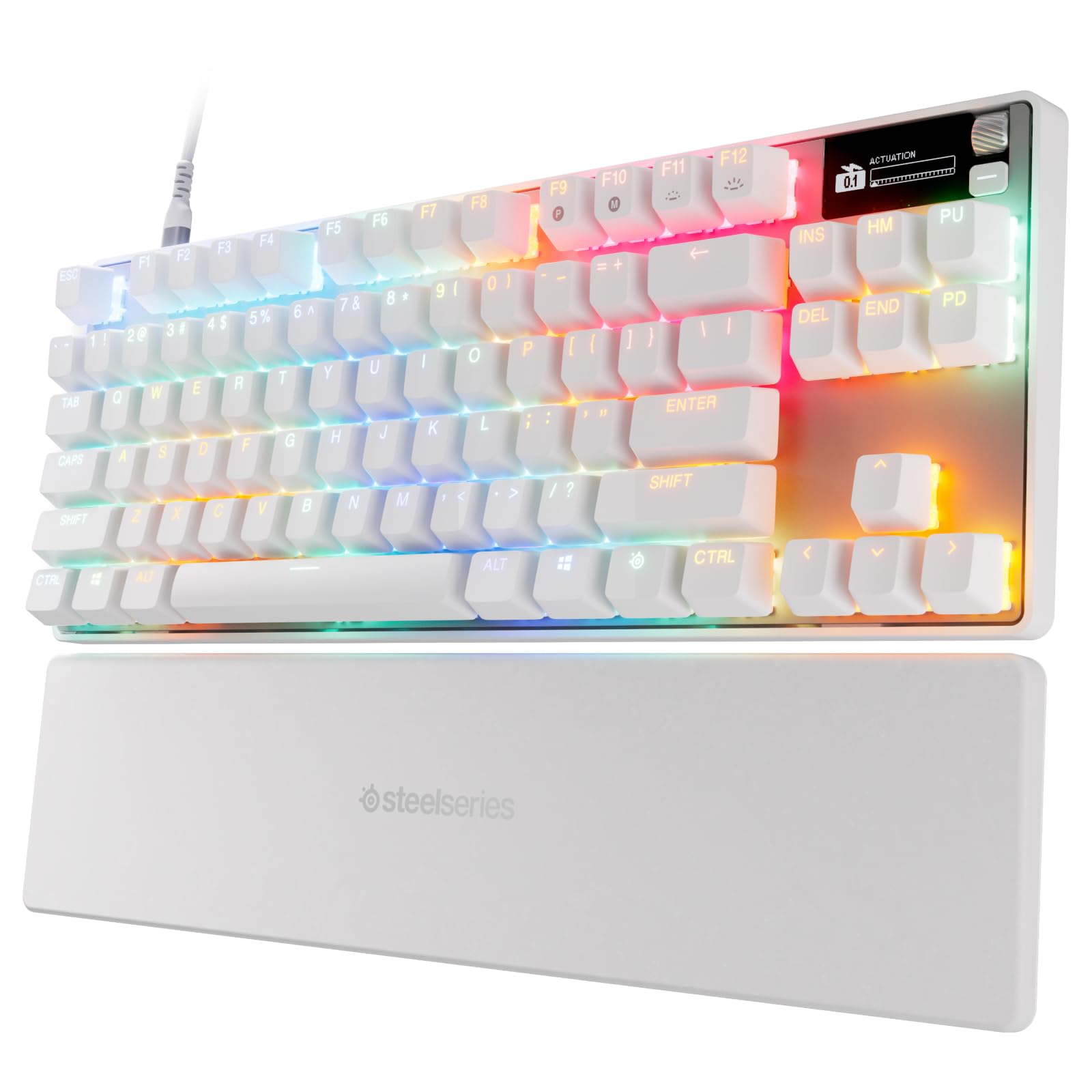
The SteelSeries Apex Pro TKL Gen 3 is a wired tenkeyless gaming keyboard built around adjustable magnetic switches and game-focused controls.
This steelseries apex pro gen 3 review looks at how its customizable actuation, rapid input features, and onboard display may suit players who want more control over their setup.
Apex Pro TKL Review Summary
The quick verdict
500+ ratings
Read Amazon ReviewsSteelSeries Apex Pro TKL Gen 3
A feature-rich wired gaming keyboard for players who want adjustable key response and quick access to game-specific settings.
- OmniPoint 3.0 analog magnetic switches use Hall Effect sensing.
- 40 adjustable actuation levels, from 0.1 mm to 4.0 mm.
- Rapid Trigger is designed to reset a key as soon as it is released.
- Rapid Tap prioritizes the latest key press for quicker directional input.

Pros
- Wide adjustment range lets players tailor actuation to different preferences.
- Dedicated rapid-input features address movement and reset behavior in games.
Consider before buying
- The advanced controls may take time to configure and may be unnecessary for casual play.
- Its TKL layout does not provide the dedicated number pad found on full-size keyboards.
Read the full review summary
Its central appeal is flexibility: the OmniPoint 3.0 magnetic switches offer 40 actuation settings, spanning 0.1 mm to 4.0 mm, so players can tune how far keys travel before registering.
Rapid Trigger, Rapid Tap, and Protection Mode add specialized input options, while QuickSet auto-presets are designed to make switching into game configurations easier.
The TKL layout keeps the focus on the core keyboard rather than a full-size number pad, and the OLED display allows some settings to be changed directly on the board.
That mix is best suited to PC gamers who enjoy tuning controls and want game-oriented features in one wired keyboard.
Buyers who prefer a simpler keyboard or need a number pad should weigh those priorities against its feature set.
The buying factors
Apex Pro TKL Scorecard
Editorial scores reflect listed features and buyer fit; they are not laboratory measurements or customer ratings.
Input customization
Forty actuation levels from 0.1 mm to 4.0 mm give buyers a broad range for adjusting key response.
Competitive input features
Rapid Trigger and Rapid Tap target quick resets and latest-press behavior, with Protection Mode intended to reduce nearby accidental presses.
Setup convenience
QuickSet auto-presets are designed to activate game configurations when a game loads.
On-keyboard control
The OLED display lets users change settings directly from the keyboard, and configurations are saved onboard.
Layout practicality
The TKL format suits a more compact desk setup, though buyers who use a number pad may prefer a full-size board.
Everyday simplicity
The dense set of adjustable features may appeal most to players willing to spend time setting up their preferred behavior.
Key Features and Specifications of Apex Pro TKL
- OmniPoint 3.0 analog magnetic switches use Hall Effect sensing.
- 40 adjustable actuation levels, from 0.1 mm to 4.0 mm.
- Rapid Trigger is designed to reset a key as soon as it is released.
- Rapid Tap prioritizes the latest key press for quicker directional input.
- Protection Mode is intended to reduce accidental presses on nearby keys.
- QuickSet auto-presets can launch game configurations when a game loads.
- An OLED smart display provides direct settings access; configurations save onboard.
Pros and Cons of Apex Pro TKL
Pros
- Wide adjustment range lets players tailor actuation to different preferences.
- Dedicated rapid-input features address movement and reset behavior in games.
- Onboard display and saved configurations help keep settings accessible at the keyboard.
- QuickSet is designed to simplify applying game-specific setups.
Consider before buying
- The advanced controls may take time to configure and may be unnecessary for casual play.
- Its TKL layout does not provide the dedicated number pad found on full-size keyboards.
- Buyers who do not plan to use adjustable actuation or rapid-input features may find the feature emphasis excessive.
Who Should Buy Apex Pro TKL?
Good fit
Consider it if you play games where repeated key presses and directional inputs matter, and you want to tune actuation rather than settle for one fixed response.
The 40-level range gives you room to experiment with how soon keys register, while Rapid Trigger and Rapid Tap offer additional control options for movement-focused play.
It also makes sense if you like organizing settings around particular games. QuickSet auto-presets are intended to apply configurations when a game loads, and the OLED display gives you a way to adjust settings from the keyboard itself.
Check that this workflow matches how you prefer to manage your setup.
Before buying, consider whether a TKL layout fits your desk and habits. If you rely on a number pad, or mainly want a straightforward keyboard for general typing, the specialized controls may not justify choosing this design.
Who should skip it
Skip it if a dedicated number pad is essential to your daily work or gaming routine; the compact TKL format prioritizes a smaller layout.
Look elsewhere if you want a basic keyboard that requires little setup and have no use for adjustable actuation, game presets, or rapid-input controls.
How the Apex Pro TKL’s controls fit competitive play
Adjustable actuation for different preferences
The 0.1 mm to 4.0 mm actuation range gives players substantial room to choose when a key registers.
A lighter setting can be useful for players who want keys to trigger with less travel, while a deeper setting may suit those who prefer more deliberate presses.
These are choices to tune to your own comfort and play style, rather than guarantees of faster performance.
Rapid Trigger and Rapid Tap address different inputs
Rapid Trigger is designed around the key release: it resets when the key is released, supporting repeated presses without waiting for a fixed reset point. Rapid Tap instead focuses on competing directional keys, snapping to the latest press.
Together they offer distinct ways to shape movement input, but their value depends on the games and controls you use.
Protection Mode is a control option to evaluate
Protection Mode is intended to reduce accidental presses on nearby keys, which may be useful when inputs are closely clustered.
Since its behavior is part of the keyboard’s feature set rather than a substitute for careful configuration, check how it works with the keys and game actions you rely on before making it part of your routine.
A compact layout with settings close at hand
The TKL form saves the space a full-size number pad would occupy, while the OLED display offers direct access to settings.
Onboard saved configurations and QuickSet auto-presets are aimed at reducing the steps involved in moving between game setups. Buyers should consider whether they prefer keyboard-side adjustment and presets or a simpler, less configurable workflow.
Alternatives to Apex Pro TKL
Computer Keyboards alternative
2,000+ ratings
Read Amazon ReviewsSteelSeries Apex 3 TKL
Choose the Apex Pro TKL Gen 3 if adjustable actuation and its specialized input controls are central to your gaming setup.
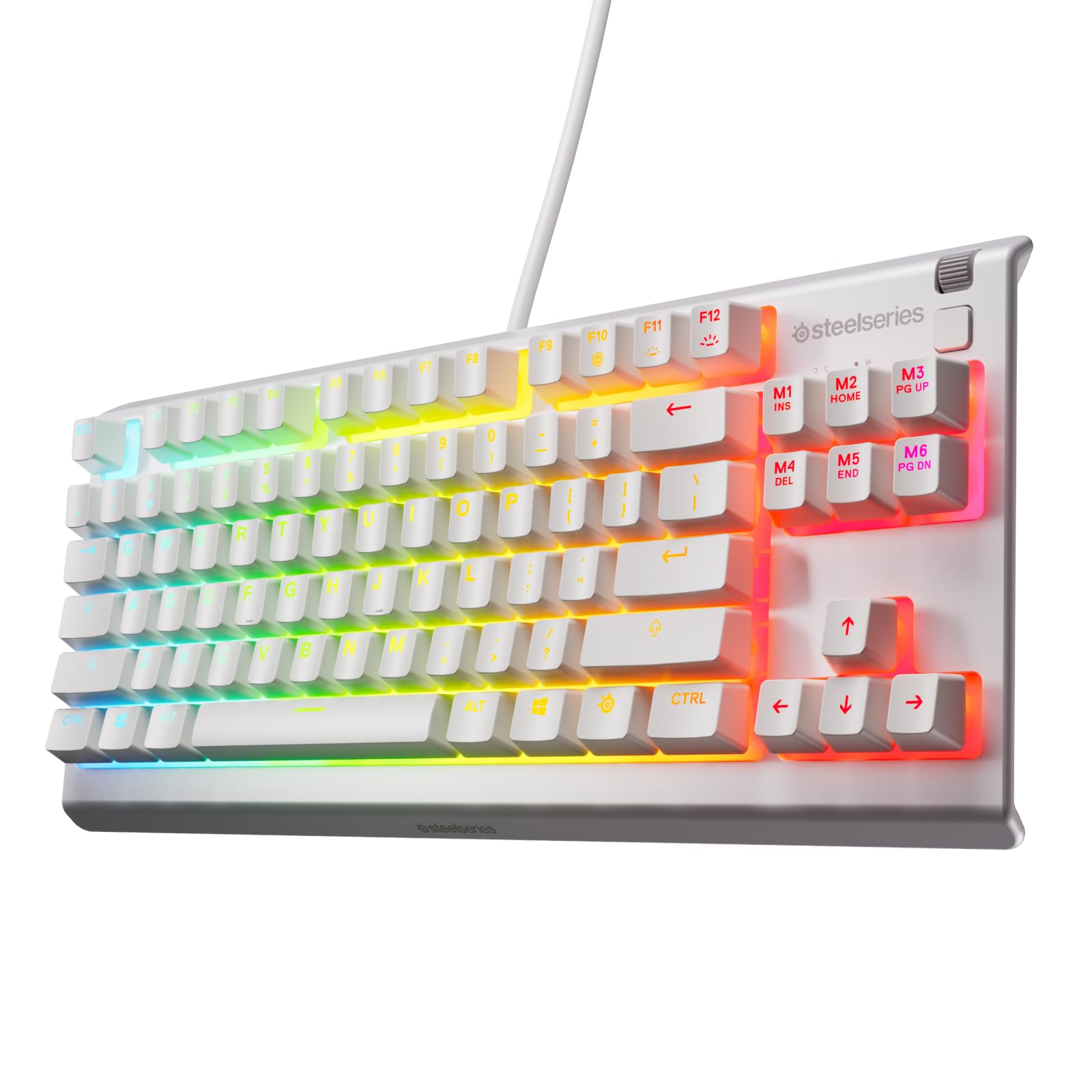
The Apex 3 TKL is a simpler compact option if quiet switches, resistance to water and dust, and basic gaming-focused features better fit your priorities.
- The Apex 3 TKL is a compact keyboard with whisper-quiet gaming switches, anti-ghosting keys, water and dust resistance, and 8-zone RGB illumination.
- The Apex Pro TKL Gen 3 centers on adjustable magnetic actuation, rapid-input features, game presets, and an OLED display.
Computer Keyboards alternative
8,000+ ratings
Read Amazon ReviewsSteelSeries Apex 3
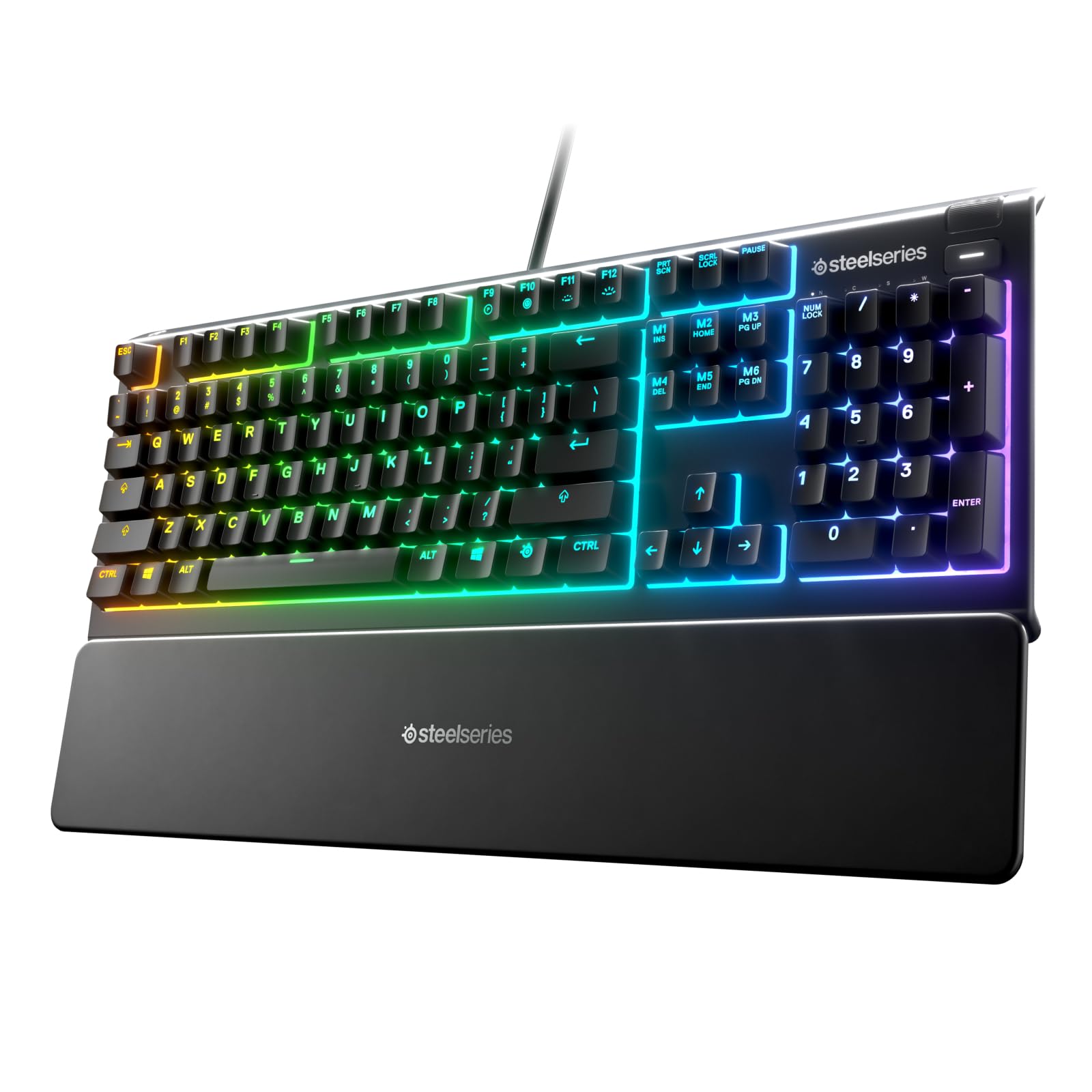
Consider the Apex 3 if you want a full-size layout with a number pad, multimedia controls, and a wrist rest.
The Apex Pro TKL Gen 3 is the more fitting choice when compact size and adjustable magnetic actuation are the priorities.
- The full-size Apex 3 includes whisper-quiet switches, 10-zone RGB illumination, a magnetic wrist rest, dedicated multimedia controls, and IP32 water resistance.
- The Apex Pro TKL Gen 3 uses a compact layout and focuses on tuning key response and configuring game inputs.
Is Apex Pro TKL Worth It?
The SteelSeries Apex Pro TKL Gen 3 is worth considering for players who want deep control over key actuation and game-focused input behavior in a compact wired keyboard.
Its adjustable switches, Rapid Trigger, Rapid Tap, QuickSet presets, and OLED display form a feature set aimed at people who will actively tune their setup.
Choose it when those controls match the way you play and a TKL layout suits your desk.
If you do not need a number pad or the advanced input options, a simpler keyboard may be a more practical fit.
Your review at a glance
500+ ratings
Read Amazon ReviewsSteelSeries Apex Pro TKL Gen 3
A feature-rich wired gaming keyboard for players who want adjustable key response and quick access to game-specific settings.
- OmniPoint 3.0 analog magnetic switches use Hall Effect sensing.
- 40 adjustable actuation levels, from 0.1 mm to 4.0 mm.
- Rapid Trigger is designed to reset a key as soon as it is released.
- Rapid Tap prioritizes the latest key press for quicker directional input.