The SteelSeries Apex 3 TKL is a tenkeyless gaming keyboard built around quiet switches, anti-ghosting keys, and eight-zone RGB lighting.
This steelseries apex 3 tkl review focuses on its space-saving layout and protective design, and the buyers those features suit.
Apex 3 TKL Review Summary
The quick verdict
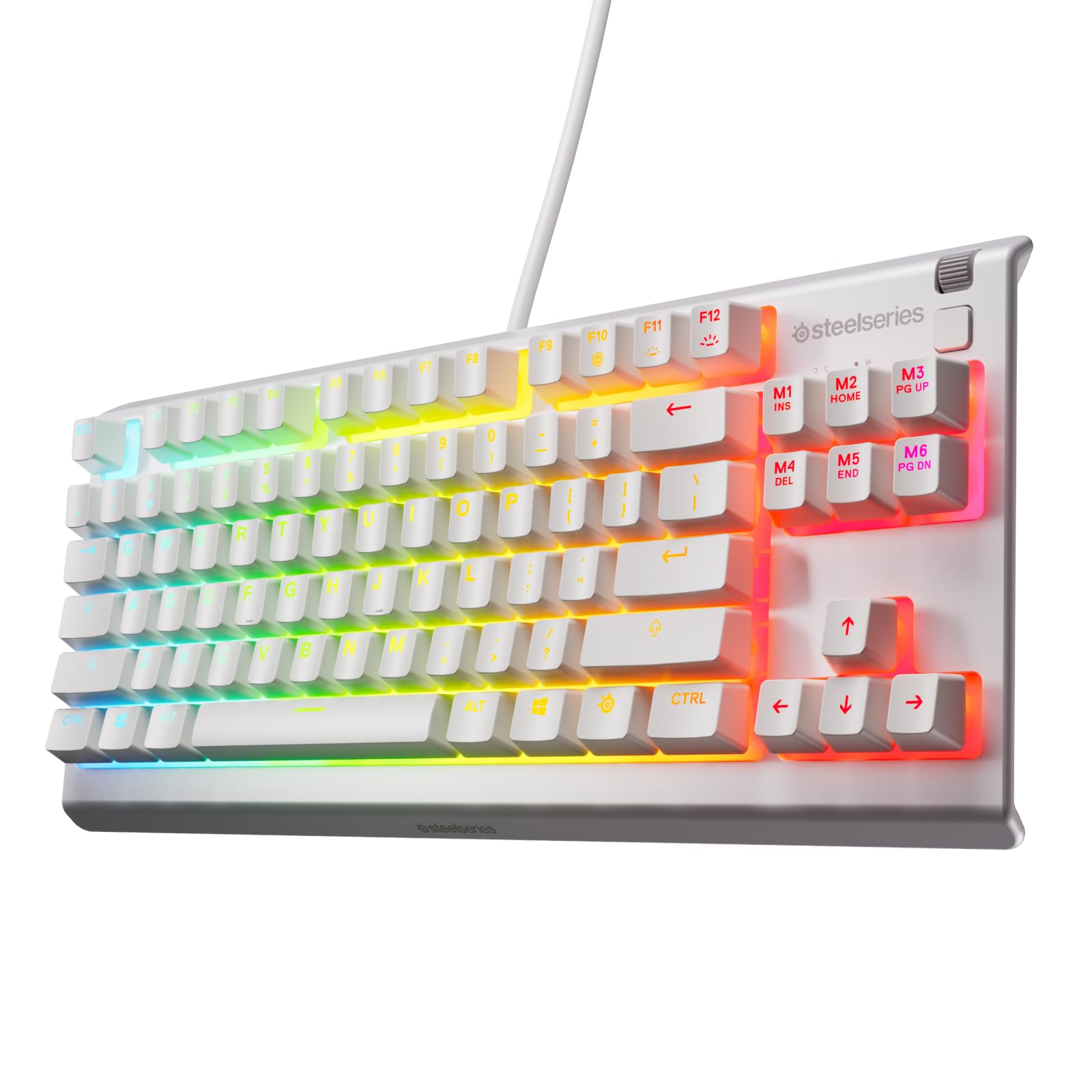
2,000+ ratings
Read Amazon ReviewsSteelSeries Apex 3 TKL
A compact wired gaming keyboard for players who want quiet switches, RGB lighting, and a space-saving tenkeyless layout.
- Tenkeyless compact layout designed to maximize desk space.
- Anti-ghosting keys for gaming-oriented multi-key input.
- Whisper-quiet switches described as low-friction and rated for up to 20 million keypresses.
- Eight-zone RGB illumination with color schemes and reactive effects.

Pros
- Compact tenkeyless shape leaves more room for a mouse or other desk gear.
- Quiet switches are a good match for shared rooms or late gaming sessions.
Consider before buying
- The tenkeyless layout leaves out the dedicated number pad, which may slow number-heavy work.
- Eight-zone RGB provides area-based lighting rather than separate control for every key.
Read the full review summary
The Apex 3 TKL brings together the practical basics for a compact gaming setup: a tenkeyless layout, anti-ghosting keys, whisper-quiet switches, and customizable-looking RGB zones.
Its appeal is straightforward: fewer keys taking up desk space, with gaming-oriented features and an emphasis on quieter typing.
It is a sensible fit for players who want a compact keyboard for gaming and everyday use, especially if a quieter sound profile and splash and dust resistance matter.
The tradeoffs are equally clear: its eight-zone lighting is less granular than per-key illumination, and buyers who want a wrist rest or dedicated multimedia controls should check whether those are priorities before choosing.
The buying factors
Apex 3 TKL Scorecard
Editorial scores reflect listed features and buyer fit; they are not laboratory measurements or customer ratings.
Compact layout
The tenkeyless form factor is designed to free desk space while retaining the main keyboard area.
Quiet typing design
Whisper-quiet, low-friction switches are described for up to 20 million keypresses.
Gaming input features
Anti-ghosting is a useful feature for gaming inputs where several keys may be pressed together.
Spill and dust protection
The keyboard is described as water and dust resistant, a practical layer of protection for everyday desk use.
Lighting flexibility
Eight-zone RGB supports color schemes and reactive effects, though zones offer less individual control than per-key lighting.
Everyday versatility
The compact layout and quieter switches can suit both gaming and general computer use, depending on whether the missing number pad fits your routine.
Key Features and Specifications of Apex 3 TKL
- Tenkeyless compact layout designed to maximize desk space.
- Anti-ghosting keys for gaming-oriented multi-key input.
- Whisper-quiet switches described as low-friction and rated for up to 20 million keypresses.
- Eight-zone RGB illumination with color schemes and reactive effects.
- Water and dust resistant design intended to help protect against splashes and dust.
Pros and Cons of Apex 3 TKL
Pros
- Compact tenkeyless shape leaves more room for a mouse or other desk gear.
- Quiet switches are a good match for shared rooms or late gaming sessions.
- Anti-ghosting supports simultaneous key presses during play.
- Water and dust resistance adds a practical layer of protection for a keyboard used daily.
Consider before buying
- The tenkeyless layout leaves out the dedicated number pad, which may slow number-heavy work.
- Eight-zone RGB provides area-based lighting rather than separate control for every key.
- Buyers who rely on a wrist rest or dedicated multimedia controls should confirm those needs before choosing this model.
Who Should Buy Apex 3 TKL?
Good fit
Consider the Apex 3 TKL if you want a smaller gaming keyboard that keeps the core typing area while freeing up desk space.
Its anti-ghosting keys address a gaming need, and its quieter switches may also make routine typing less intrusive in a shared space.
The protective design and RGB effects round out a practical feature set rather than a highly customizable one.
If your priority is a compact board with quiet switches and straightforward zone lighting, this model is worth a closer look.
Who should skip it
Skip it if you use a number pad frequently for data entry or prefer the full-size layout.
Also look elsewhere if per-key lighting customization is essential, or if you need a wrist rest or dedicated multimedia controls included as part of your setup.
What the Apex 3 TKL’s Compact Design Means
Desk space and the missing number pad
A tenkeyless keyboard removes the number pad to make the overall layout more compact.
That can give a mouse more room beside the keyboard, but number-heavy work may feel less convenient; consider which tasks dominate your desk before deciding.
Quiet switches for mixed-use setups
The whisper-quiet, low-friction switches make the board relevant beyond gaming, particularly where keyboard noise is a concern.
The up-to keypress figure describes the switch rating, but it does not by itself predict how long the entire keyboard will last.
Lighting by zone
Eight RGB zones and reactive effects offer a way to personalize the keyboard’s appearance.
Because illumination is organized into zones, buyers who want to assign a distinct effect to each individual key should check whether this level of control meets their expectations.
Protection in everyday use
Water and dust resistance is intended to help guard against splashes and dust during ordinary desk use.
Treat that as added protection rather than a reason to expose the keyboard to liquids or debris; the description does not specify a rating or test conditions.
Alternatives to Apex 3 TKL
Computer Keyboards alternative
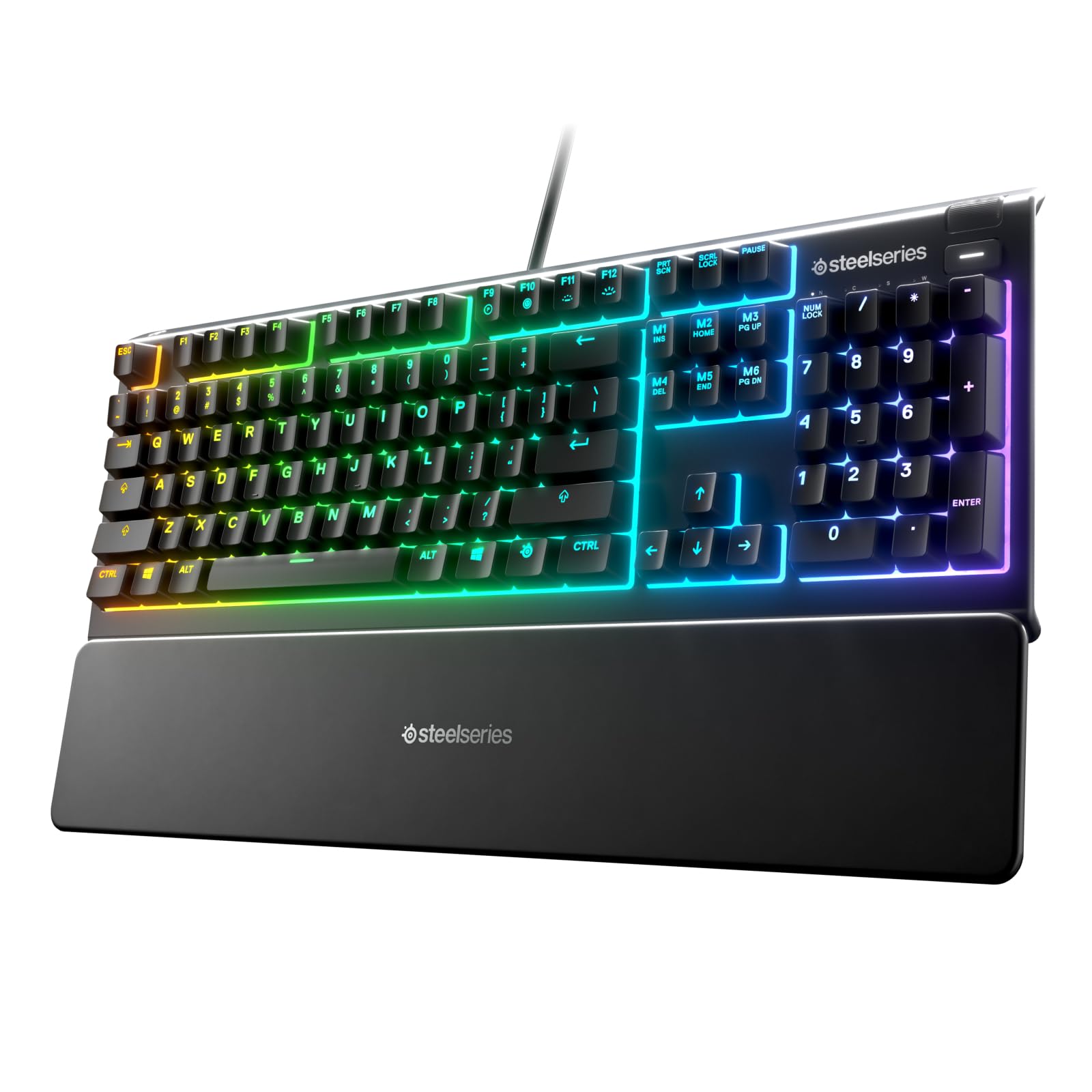
8,000+ ratings
Read Amazon ReviewsSteelSeries Apex 3
Choose the Apex 3 if you prefer a number pad, want the listed wrist rest and media controls, and are comfortable with a full-size layout.
The TKL is a better fit when desk space and a smaller footprint take priority.
- The Apex 3 is a full-size keyboard with ten-zone RGB, IP32 water resistance, a magnetic wrist rest, and dedicated multimedia controls.
- The Apex 3 TKL prioritizes a smaller tenkeyless footprint, with eight-zone RGB lighting and a water and dust resistant design.
Computer Keyboards alternative
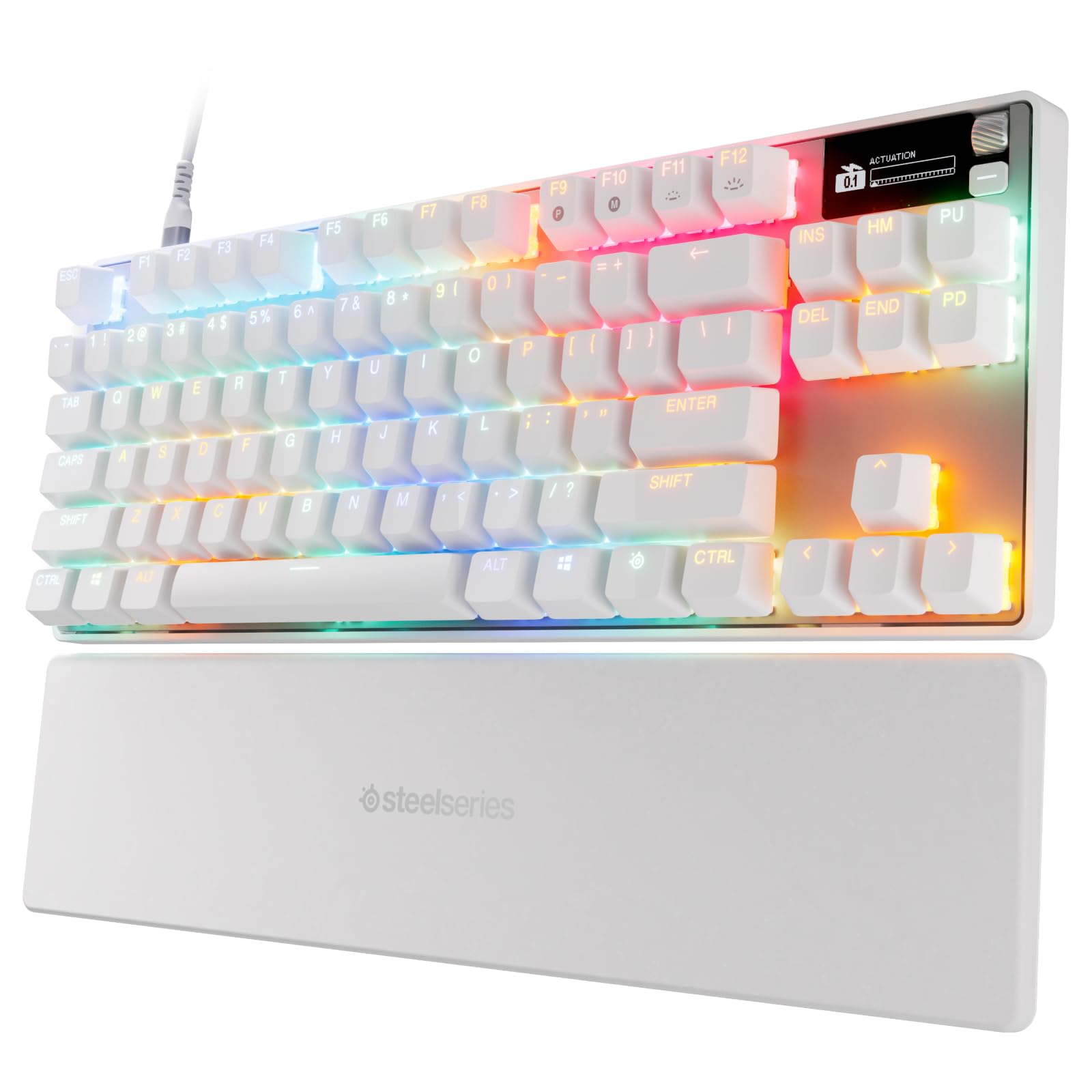
500+ ratings
Read Amazon ReviewsSteelSeries Apex Pro TKL Gen 3
Consider the Apex Pro TKL Gen 3 if adjustable actuation and its advanced gaming controls are central to your needs.
The Apex 3 TKL is the simpler fit for buyers who value quiet switches and a compact layout over those specialized controls.
- The Apex Pro TKL Gen 3 has adjustable OmniPoint magnetic switches, rapid-trigger and rapid-tap features, an OLED display, onboard configuration storage, and PBT keycaps.
- The Apex 3 TKL focuses on quiet switches, anti-ghosting, eight-zone RGB, and a compact layout.
Is Apex 3 TKL Worth It?
The SteelSeries Apex 3 TKL is worth considering if you want a compact gaming keyboard with anti-ghosting, quiet switches, RGB zones, and a water and dust resistant design.
Its strongest case is for players who value desk space and a quieter typing style.
Before buying, weigh the tenkeyless layout against your need for a number pad, and decide whether zone-based lighting suits you.
If those compromises fit your routine, the Apex 3 TKL offers a focused set of useful features; if not, choose a layout or control set that better matches your work and games.
Your review at a glance
2,000+ ratings
Read Amazon ReviewsSteelSeries Apex 3 TKL
A compact wired gaming keyboard for players who want quiet switches, RGB lighting, and a space-saving tenkeyless layout.
- Tenkeyless compact layout designed to maximize desk space.
- Anti-ghosting keys for gaming-oriented multi-key input.
- Whisper-quiet switches described as low-friction and rated for up to 20 million keypresses.
- Eight-zone RGB illumination with color schemes and reactive effects.