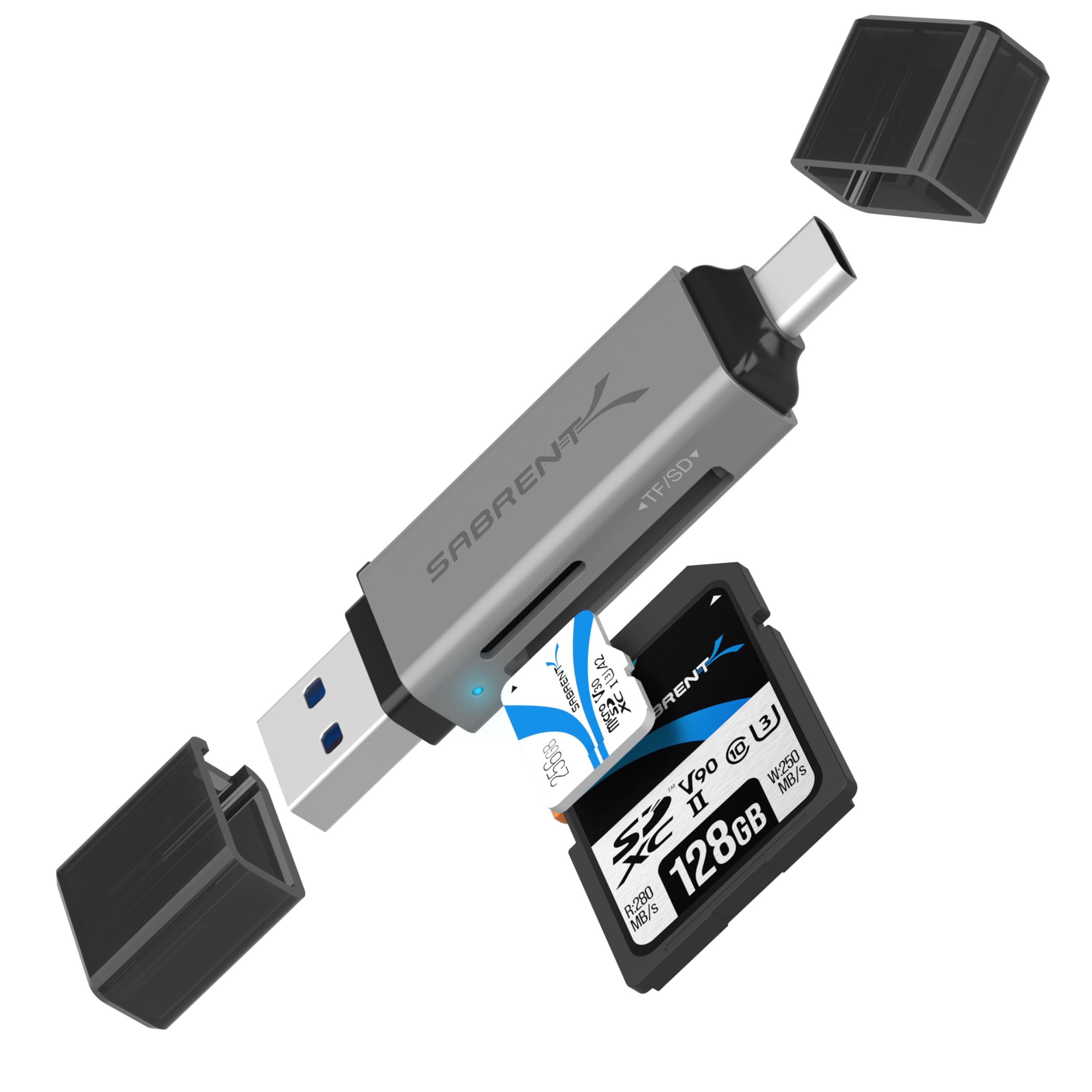
The SABRENT USB-C & USB-A SD/Micro SD Card Reader is designed to make card transfers convenient across newer USB-C devices and traditional USB-A computers.
This review looks at its dual-slot support, plug-and-play setup, and the practical tradeoffs to consider before choosing it.
SABRENT Card Reader Review Summary
The quick verdict
2,000+ ratings
Read Amazon ReviewsSABRENT USB-C & USB-A SD/Micro SD Card Reader
A compact dual-slot reader for people moving files from SD or microSD cards across USB-C and USB-A computers and compatible Android devices.
- USB-C and USB-A connectivity for use with compatible laptops, PCs, and Android devices.
- Dual slots read full-size SD and microSD cards.
- Supports SD, SDHC, SDXC, microSD, microSDHC, and microSDXC card formats.
- USB 3.0 interface supports transfer speeds up to 5Gbps and works with USB 2.0 hosts.

Pros
- Two connector types make it useful across USB-C and USB-A devices.
- Supports several common SD and microSD card formats in one reader.
Consider before buying
- The up-to 5Gbps figure describes the interface ceiling; card, host, and file-transfer conditions affect actual speed.
- Android use is limited to compatible devices, so check your device's support before depending on the reader.
Read the full review summary
This reader combines USB-C and USB-A connectivity with slots for full-size SD and microSD cards, covering common card formats used in cameras, dash cams, and other everyday devices.
Its USB 3.0 interface supports transfers up to 5Gbps, while backward compatibility with USB 2.0 gives it flexibility with older host ports.
The compact design, built-in activity LED, and driver-free setup make it a sensible option for routine photo, video, and file transfers.
It is best suited to buyers who value broad port and card compatibility in a small adapter; check that your particular Android device supports compatible USB storage accessories before relying on it.
The buying factors
SABRENT Card Reader Scorecard
Editorial scores reflect listed features and buyer fit; they are not laboratory measurements or customer ratings.
Port flexibility
USB-C and USB-A connections cover modern and traditional host ports.
Card format coverage
The two slots support SD and microSD formats across SDHC, SDXC, microSDHC, and microSDXC.
Transfer interface
USB 3.0 supports speeds up to 5Gbps, with USB 2.0 backward compatibility; actual transfer rates depend on the card and host.
Setup simplicity
Plug-and-play operation requires no driver or software installation on supported systems.
Portability
A lightweight, compact form and built-in activity indicator suit travel and everyday carry.
Device compatibility
Windows, macOS, and compatible Android devices are listed, though Android support depends on the specific device.
Key Features and Specifications of SABRENT Card Reader
- USB-C and USB-A connectivity for use with compatible laptops, PCs, and Android devices.
- Dual slots read full-size SD and microSD cards.
- Supports SD, SDHC, SDXC, microSD, microSDHC, and microSDXC card formats.
- USB 3.0 interface supports transfer speeds up to 5Gbps and works with USB 2.0 hosts.
- Plug-and-play operation requires no drivers or software on supported devices.
- Compact, lightweight design includes a built-in LED activity indicator.
Pros and Cons of SABRENT Card Reader
Pros
- Two connector types make it useful across USB-C and USB-A devices.
- Supports several common SD and microSD card formats in one reader.
- USB 3.0 offers a higher interface ceiling than USB 2.0, while retaining backward compatibility.
- Driver-free setup and small size suit quick transfers at home or on the go.
Consider before buying
- The up-to 5Gbps figure describes the interface ceiling; card, host, and file-transfer conditions affect actual speed.
- Android use is limited to compatible devices, so check your device's support before depending on the reader.
- Buyers who need additional card formats beyond SD and microSD should confirm those formats are supported before purchase.
Who Should Buy SABRENT Card Reader?
Good fit
Consider it if you move photos, videos, or other files from SD and microSD cards and want one reader that can connect to both USB-C and USB-A ports.
That dual-connector approach is especially practical when your computers or other devices do not all use the same port type.
It also fits buyers who want a straightforward accessory for common card formats. Plug-and-play operation avoids a separate software setup, and the built-in activity indicator can provide a quick visual cue while the reader is in use.
For Android transfers, verify compatibility with your specific device. For speed-sensitive work, treat 5Gbps as the interface's maximum and consider the card and host connection as part of the transfer setup.
Who should skip it
Choose another reader if your workflow depends on card formats beyond the listed SD and microSD families, unless you confirm those formats are supported.
This is not the right fit if you need guaranteed Android compatibility across all devices or a promised real-world transfer rate; the stated support is limited to compatible devices, and actual speeds can vary with the card and host.
How the SABRENT Card Reader Fits Everyday Transfers
USB-C and USB-A in one reader
Having both connector types gives the reader a practical role in mixed-device setups.
A buyer can use it with newer USB-C equipment and retain compatibility with traditional USB-A ports, reducing the need to choose a connector type around one computer.
Before buying, consider which devices will actually handle the transfers and make sure they have a supported port.
Two slots for common card families
Full-size SD and microSD slots address two widely used card shapes, and the listed SDHC, SDXC, microSDHC, and microSDXC support adds range across those families.
This makes the reader relevant for cards from cameras, dash cams, and everyday devices. If your routine uses a less common card type, confirm compatibility rather than assuming the two-slot design covers it.
Understanding the speed ceiling
USB 3.0 supports speeds up to 5Gbps, and USB 2.0 backward compatibility helps the reader work with older hosts.
The interface maximum is not a guarantee of a particular file-copy time: the card, host port, and transfer conditions also shape the result. Buyers moving large files regularly should consider the whole chain, including the card's capabilities.
A simple portable setup
No driver or software installation is required on supported Windows, macOS, and Android devices, which keeps the setup straightforward.
The compact, lightweight form is easy to pack with a laptop or camera gear, and the activity LED adds a visible status cue.
Android owners should check their device's compatibility before treating it as a dependable part of a mobile workflow.
Alternatives to SABRENT Card Reader
One useful alternative is included because it offers a different card-format mix; compare connector type and supported formats against the cards and devices you use.
Computer Memory Card Readers alternative
10,000+ ratings
Read Amazon ReviewsSABRENT SuperSpeed 2-Slot USB 3.0 Card Reader (CR-UMSS)
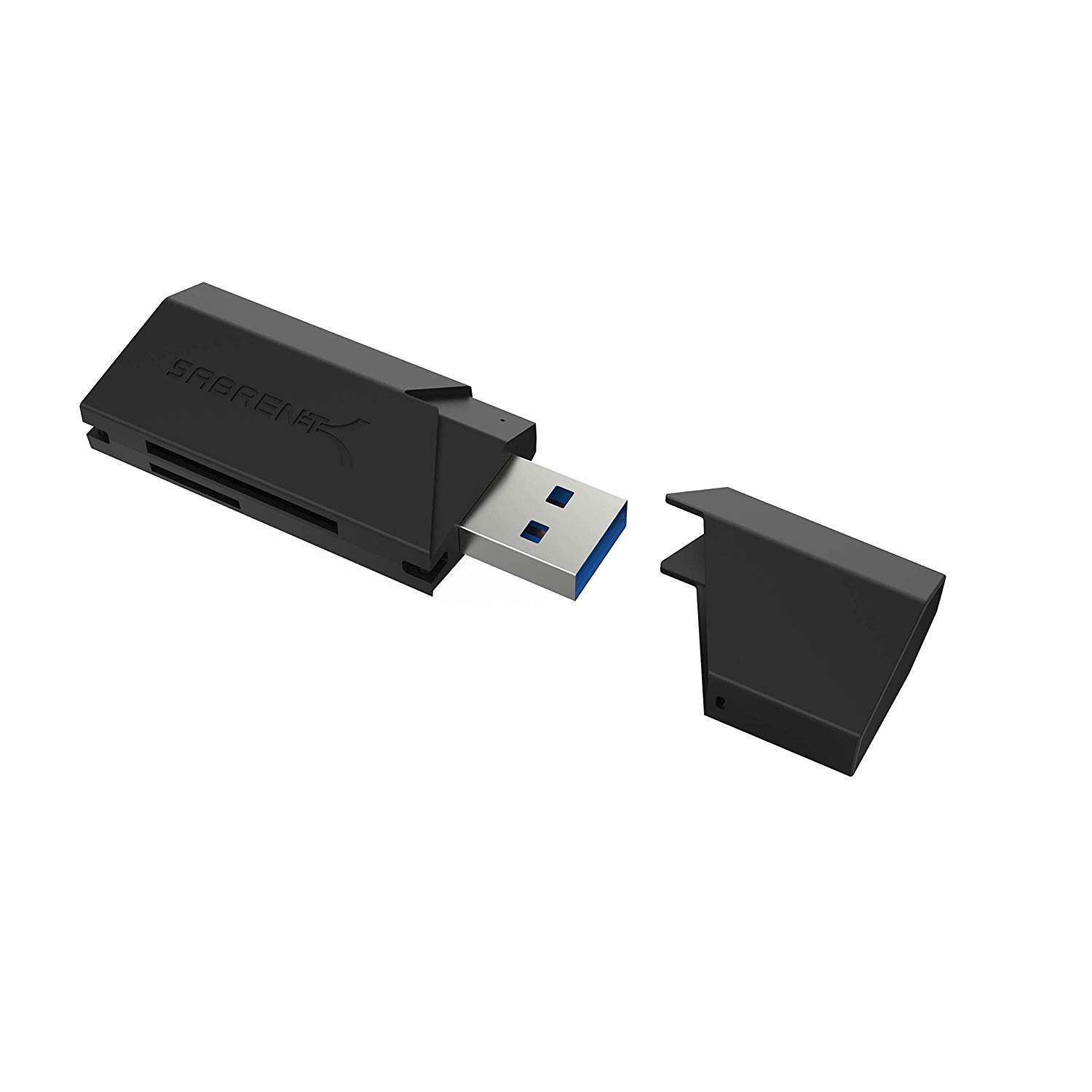
Consider the CR-UMSS if MMC or T-Flash support matters to your cards and its USB 3.0 connection suits your host setup.
Choose the main reader when having both USB-C and USB-A connectors is more useful for your mix of devices.
- This two-slot model uses USB 3.0 with USB 2.0 backward compatibility and supports SD, SDHC, SDXC, MMC, microSD, and T-Flash.
- It is plug-and-play and powered through its USB connection.
- The main reader provides USB-C and USB-A connectivity, SD and microSD slots, and support for SD and microSD card families.
Is SABRENT Card Reader Worth It?
The SABRENT USB-C & USB-A SD/Micro SD Card Reader is worth considering for routine transfers when you want a small reader for common SD and microSD cards and need both USB-C and USB-A connectivity.
Its plug-and-play setup and USB 3.0 interface make it a flexible everyday option.
Check Android compatibility for your specific device, and remember that actual transfer speed depends on the card and host as well as the reader's interface.
If those conditions match your setup, its combination of port flexibility and common card support makes a straightforward buying choice.
Your review at a glance
2,000+ ratings
Read Amazon ReviewsSABRENT USB-C & USB-A SD/Micro SD Card Reader
A compact dual-slot reader for people moving files from SD or microSD cards across USB-C and USB-A computers and compatible Android devices.
- USB-C and USB-A connectivity for use with compatible laptops, PCs, and Android devices.
- Dual slots read full-size SD and microSD cards.
- Supports SD, SDHC, SDXC, microSD, microSDHC, and microSDXC card formats.
- USB 3.0 interface supports transfer speeds up to 5Gbps and works with USB 2.0 hosts.