Thoughtful home office tech can make calls, focused work and everyday desk routines feel easier. The right gift depends on how the recipient works and what their setup already supports.
These 11 ideas range from compact cable helpers to workspace upgrades and audio gear, with options for different interests and budgets.
11 Home Office Tech Gift Ideas for Remote Workers
JLab Go Work Wireless Headset (1 Pack)

- Connects to a PC, Mac or mobile device over Bluetooth, with a cable option for wired use.
- Dual microphones are designed to capture the speaker’s voice and reduce environmental sounds.
- The boom microphone rotates for listening or calls.
Best Gift For: A remote worker who moves between laptop and mobile calls.

FIFINE T669 USB Microphone Kit

- USB connection supports setup with a PC or laptop without extra hardware or drivers.
- The kit pairs a microphone with an adjustable boom arm and shock mount.
- A double pop filter helps reduce popping sounds from airflow.
Best Gift For: A home-based creator preparing voiceovers, podcasts or online calls.
HUANUO FlowLift Single Monitor Mount

- Fits monitors in the supported size and weight range.
- Offers tilt, swivel and rotation adjustments for positioning the screen.
- Choose between clamp and grommet mounting options.
Best Gift For: A desk worker whose monitor and tabletop match the mount’s fit requirements.
Nulaxy 18-Inch Telescopic 360 Rotating Laptop Stand
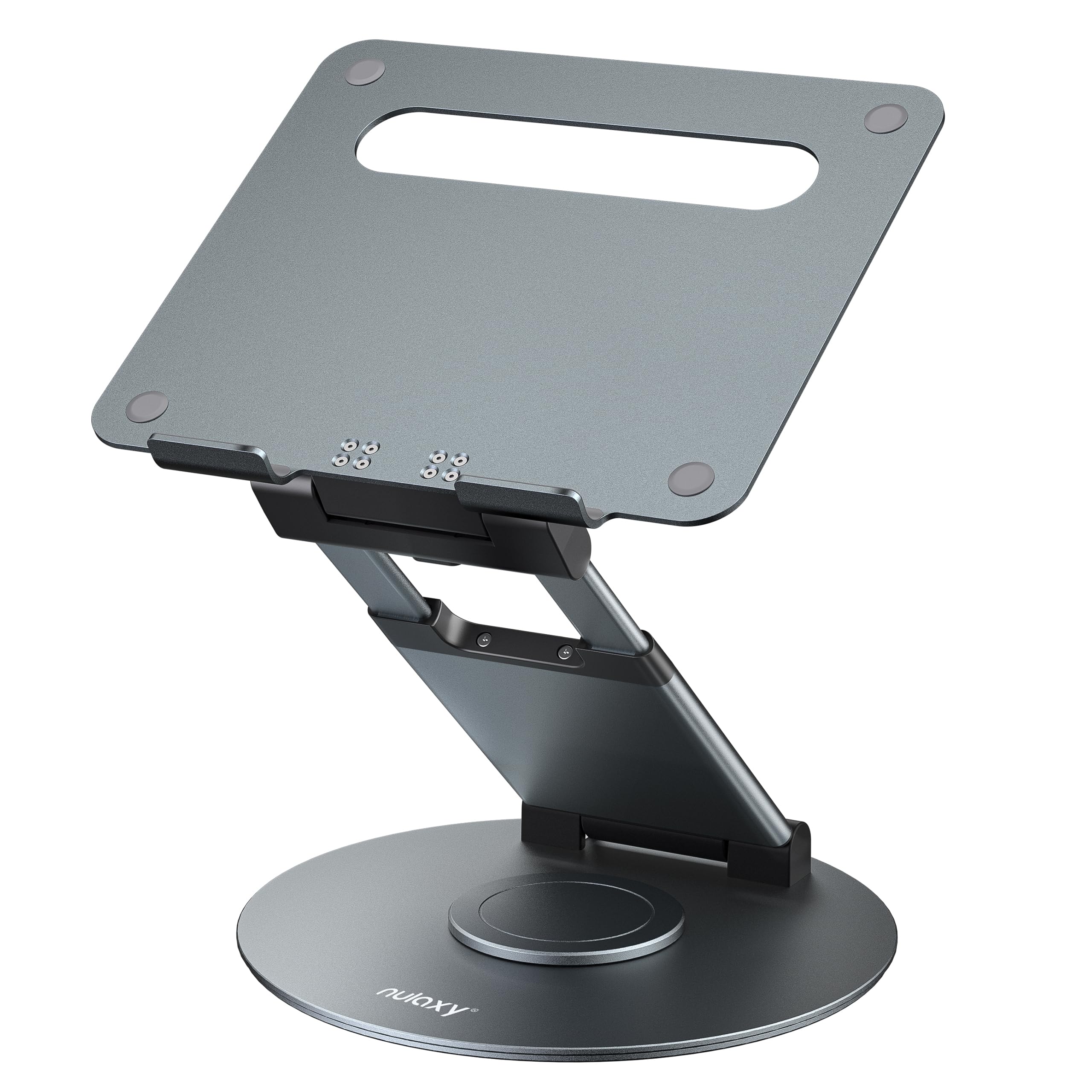
- The stand rotates to make screen sharing easier at a desk or in a meeting.
- Height adjustment supports seated or standing positions.
- It folds and fits laptops, notebooks, and tablets up to 17 inches.
Best Gift For: A laptop user who shares their screen or changes between sitting and standing.
Sleek Socket Flat Outlet Concealer Kit, 3-Foot Cord
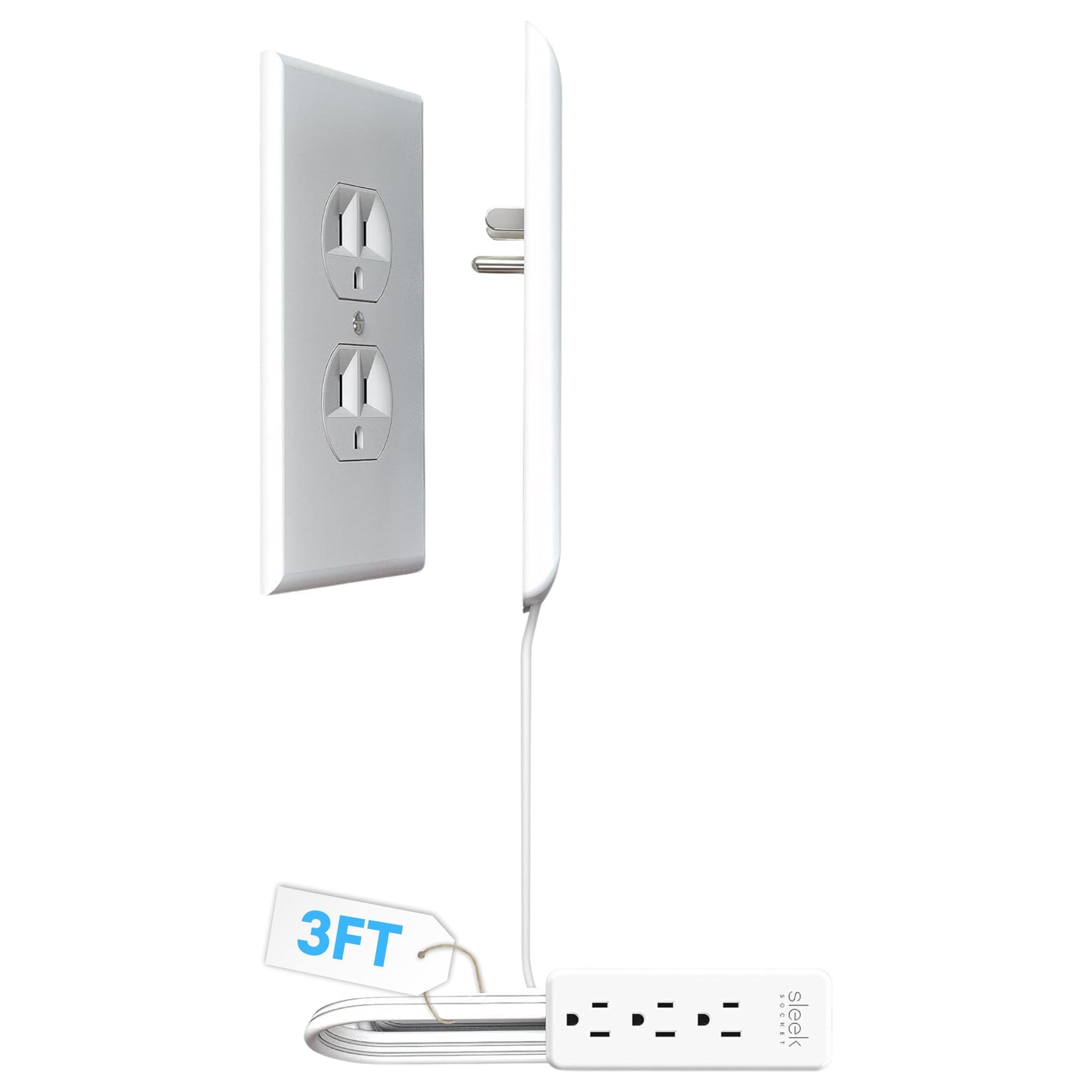
- The flat cord is designed to keep a small area or space behind furniture tidy.
- The kit includes a power strip with three outlets.
- Removable adhesive strips and clips help secure the cord along a wall.
Best Gift For: Someone who wants a neater-looking outlet and cable setup near a desk.
TP-Link Archer AXE75 WiFi 6E Router

- Tri-band WiFi 6E includes a 6 GHz band.
- The router supports VPN client and server functions.
- It can connect with a compatible OneMesh extender to create a OneMesh network.
Best Gift For: A home worker looking to add a router with a 6 GHz band to their network setup.
Audioengine A2+ Wireless Computer Speakers

- The powered speakers are designed for nearfield listening on desks.
- Bluetooth and wired inputs support several ways to connect devices.
- Real wood cabinets are hand-finished.
Best Gift For: A desk worker who enjoys music, podcasts or movies at their workstation.
SteelSeries Apex 3 RGB Gaming Keyboard

- The switches are designed for nearly silent use.
- A magnetic wrist rest provides palm support.
- Dedicated controls adjust volume and settings.
Best Gift For: A computer user who wants a keyboard with quiet switches and a wrist rest.
SABRENT USB-C and USB-A SD Card Reader

- USB-C and USB-A connections support file transfers across compatible devices.
- Dual slots read SD and Micro SD card formats.
- The compact reader has a built-in activity indicator.
Best Gift For: A home office user who transfers photos or files from SD or Micro SD cards.
SABRENT USB-C 6-Port Hub and M.2 SSD Dock

- The hub has an HDMI port for a compatible external display.
- It includes Gigabit Ethernet alongside USB ports and power delivery.
- The internal M.2 slot supports SATA or NVMe SSDs in several form factors.
Best Gift For: A laptop user who needs to connect peripherals, a display or network cable.
MAONO T1 Wireless Microphone Combo Set
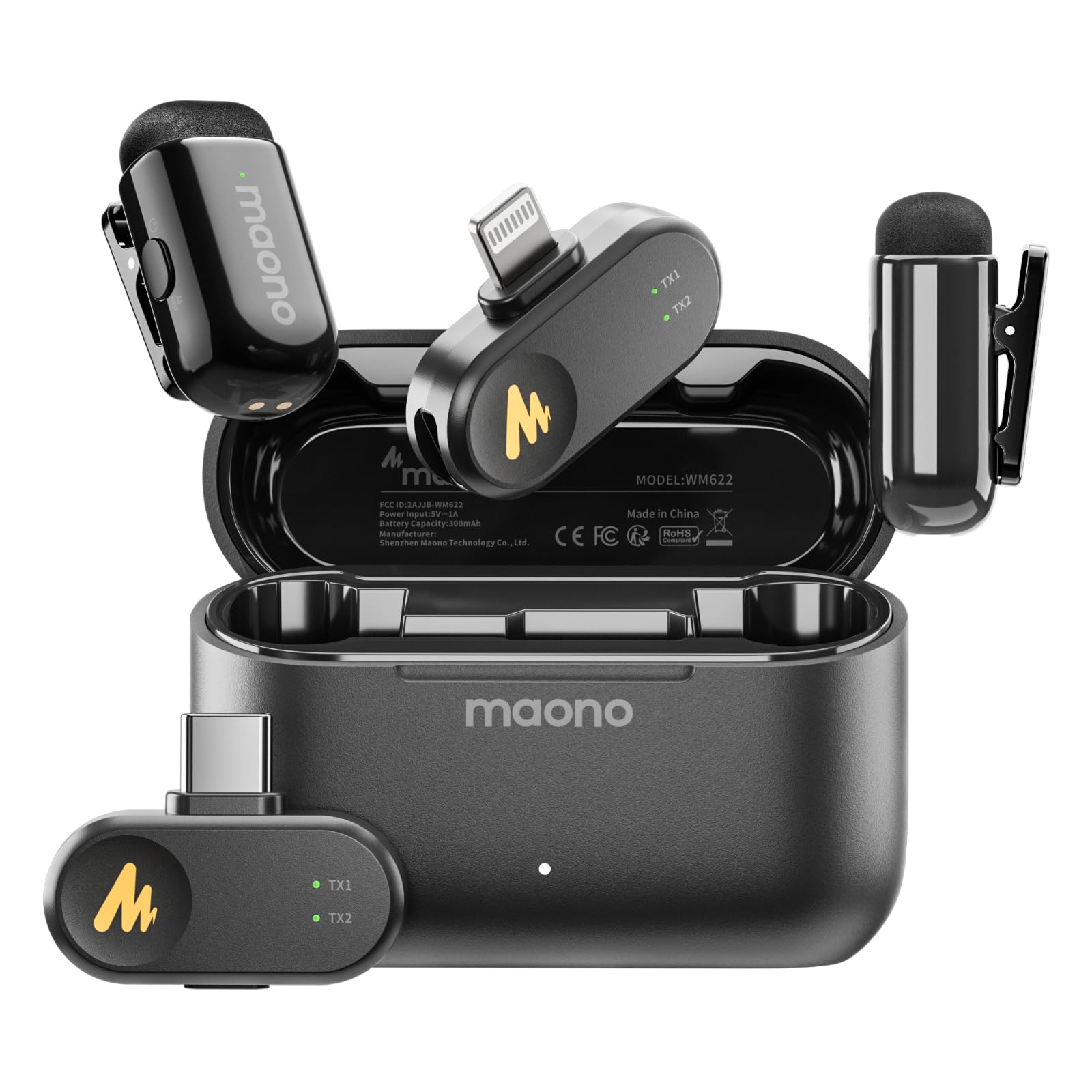
- The combo set includes Lightning and USB-C receivers.
- The microphone offers four AI noise-cancellation levels.
- The charging case supports up to 30 hours of operation.
Best Gift For: A mobile creator recording videos, interviews or meetings with a compatible phone or tablet.
1. Start with the workday behind these home office tech gifts
Choose home office tech gifts by noticing what interrupts the recipient’s routine. Someone switching among laptop calls may value a headset, while a creator recording at a desk may have a clearer use for a microphone.
A practical gift fits a repeated task.
Think about the setup they already use before choosing a connection-based accessory. Check whether their computer or phone has the required ports, and whether their existing equipment already covers the same job.
A brief, casual question can prevent an awkward mismatch.
A desk gift should suit the space as well as the person. Consider whether the recipient works in a shared room, moves between rooms, or has limited surface area.
Compact accessories may be easier to place, while larger changes deserve a conversation first.
2. Match the gift to the budget and the value of the upgrade
Set a qualitative budget before browsing, then decide whether the occasion calls for a small convenience or a more substantial workspace change. A simple cable organizer can be a thoughtful gesture; a larger audio or network upgrade may make sense when you know it solves a real need.
For a modest spend, prioritize tools that remove a specific nuisance, such as moving files or managing cords. For a bigger gift, consider whether the recipient will use the equipment often enough to appreciate the change.
Check actual prices before buying, since they can change.
Shared gifting can make a more substantial item easier to give without making the choice feel impersonal. Ask contributors to agree on the recipient’s needs and any compatibility requirements.
A useful accessory in the right setup often beats an impressive device that stays boxed.
3. Personalize home office tech gifts around their habits
Personalization starts with how someone works, not with adding a decorative extra. For home office tech gifts, think of the calls they take, the audio they make, or the files they move.
That gives you a natural way to choose something that feels selected for them.
A short note can explain the thought behind a practical gift: “For your next recording session” or “To make your desk calls easier.” If you are unsure about a technical match, give a small desk accessory with a note offering to choose the larger item together.
Presentation can stay simple and still feel considered. Use a reusable pouch or a neat box for smaller accessories, and include a card naming the routine you had in mind.
For equipment with setup needs, offer to help review compatibility or arrange the workspace together.
4. Think through the desk setup before the gift arrives
Before ordering a mounting or connection accessory, check the recipient’s existing equipment and the space where it will go. Confirm dimensions, port types, mounting arrangements and compatibility from current product details.
These quick checks help avoid a gift that cannot work with their setup.
For audio equipment, consider whether the recipient uses speakers, headphones or a microphone already, and whether their room is shared. A focused upgrade can be useful when it complements familiar habits; replacing a working setup without asking may make the gift harder to enjoy.
A router or multiport hub involves more than the object itself: the recipient may need compatible devices or a particular arrangement. Ask a practical question if needed, or choose a gift that is easier to use without changing their wider setup.
5. Keep last-minute buying advice simple
If time is short, narrow the choice to one well-understood problem and check the current product details before purchasing. Confirm the exact model, required connections and any space constraints, then review delivery estimates for the recipient’s address.
Do not assume a particular arrival date.
When you cannot confirm compatibility quickly, choose a small, flexible accessory or give a card describing the intended gift and let the recipient select the final model. That keeps the gesture thoughtful while avoiding an avoidable mismatch with their computer or desk.
For a workplace delivery, verify the address and whether the recipient can accept a package there. Keep the receipt or gift documentation available in case an exchange is needed.
A clear note and a realistic plan for setup can make even a practical, late-chosen gift feel personal.