A good gaming gift can make a familiar setup feel more comfortable, personal, or immersive. These eight ideas cover desk accessories, sound, and the broader home gaming experience.
Before choosing, consider the recipient’s devices, available space, and the kind of games or setup they enjoy. Compatibility matters for gear that connects to a console, computer, or existing network.
8 Gift Ideas for Gamers and Their Setups
HUANUO FlowLift Dual Monitor Stand

- Adjustable arms let the screens move for a more comfortable viewing position.
- Each arm holds screens weighing 4.4 to 19.8 lbs and fits screen sizes from 13 to 32 inches.
- Built-in cable management guides cords along the arms.
Best Gift For: A gamer with two compatible monitors and a suitable wooden desk.

Valerion VisionMaster Max 4K Laser Projector
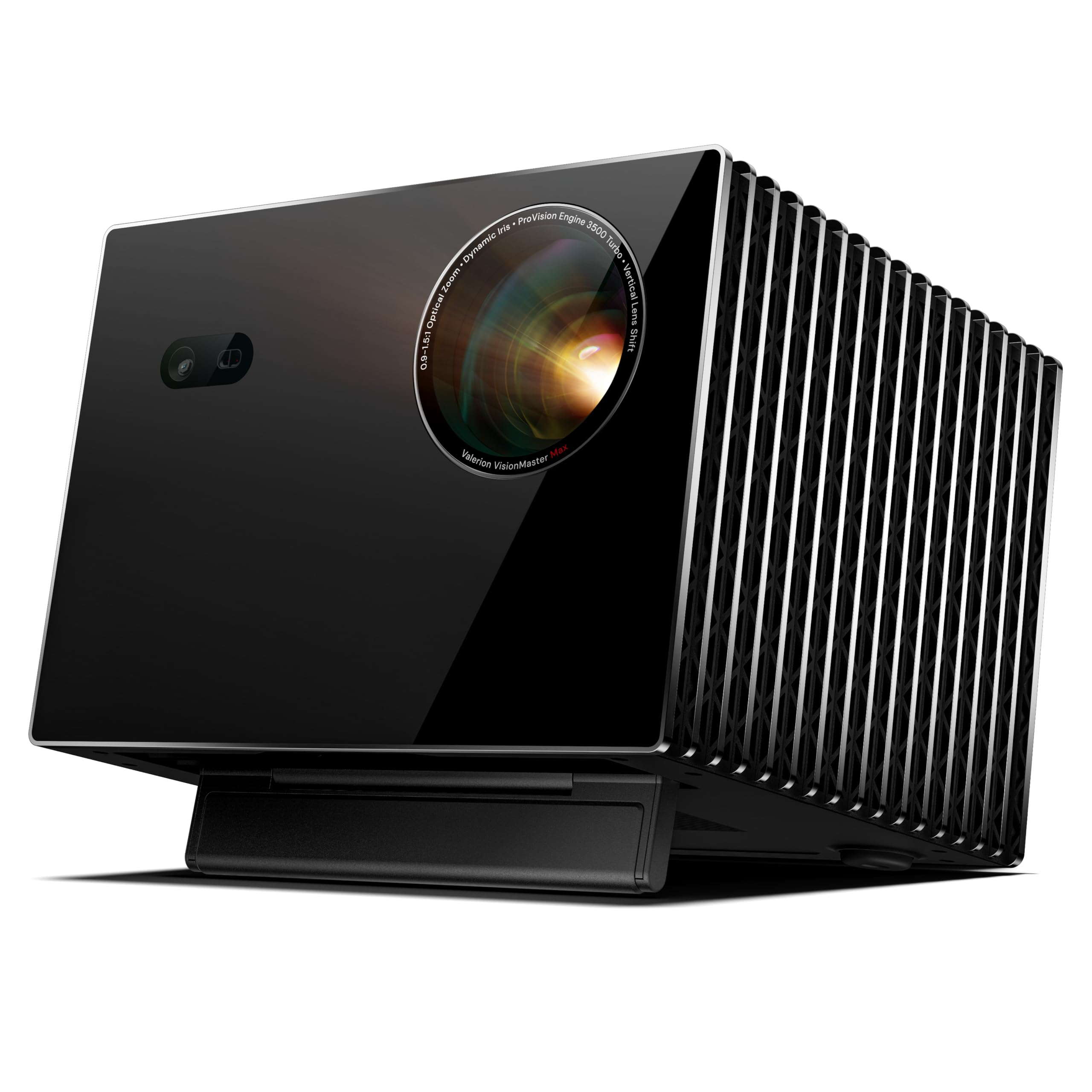
- Gaming Mode is specified at 4ms @240Hz.
- Optical zoom and lens shift offer flexibility for room layouts.
- Built-in Google TV provides access to entertainment apps.
Best Gift For: A gamer who wants a large-screen home cinema and gaming setup.
SteelSeries Arctis Nova Pro Wireless Headset

- Connect two systems at once and toggle between compatible platforms.
- Active noise cancellation and Transparency Mode provide two listening options.
- Two hot-swappable batteries let the spare charge in the base station.
Best Gift For: A gamer who switches between compatible gaming systems and mobile audio.
FIFINE T669 USB Microphone Kit

- USB connection supports plug-and-play setup with a PC or laptop.
- The included boom arm adjusts to position the microphone.
- A double pop filter helps minimize popping sounds.
Best Gift For: A PC gamer interested in voice chat, streaming, or recording vocals.
TP-Link AXE5400 Tri-Band WiFi 6E Router

- The 6 GHz band adds bandwidth for gaming and video chatting.
- Tri-band and OFDMA technology are designed to increase device capacity.
- It supports both VPN Server and VPN Client.
Best Gift For: A gamer looking to upgrade a home network, after checking modem and provider compatibility.
SteelSeries Apex Pro Full Size Gen 2 Wired Keyboard

- Per-key actuation offers 40 levels of adjustment.
- A single key can be assigned two different actions.
- The OLED display shows information from games and apps.
Best Gift For: A PC gamer who enjoys adjusting keyboard response for different games.
Nylavee Computer Speakers with 6 Lighting Modes

- Choose among six touch-controlled lighting modes.
- A single knob controls power and volume.
- USB provides power while audio comes through the 3.5mm connection.
Best Gift For: A desktop gamer who wants wired speakers with customizable lighting.
SteelSeries Aerox 3 Wireless Gaming Mouse

- The holey shell reduces the mouse weight to 68g.
- It supports both 2.4GHz wireless and Bluetooth 5.0 connections.
- The interior is shielded from water splashes, dust, and dirt.
Best Gift For: A gamer who wants a lightweight wireless mouse with configurable lighting.
1. Match gifts for gamers to their setup
When choosing gifts for gamers, start with the setup they already use. A desk-mounted accessory needs a compatible desk and screens, while a headset or microphone needs to work with the recipient’s preferred devices.
If you can, discreetly check model names or ask someone who knows their setup.
Think about the room, too. A dedicated desk may make a monitor stand or speakers a natural fit; a shared space might call for gear that is easy to move or adjust.
For a large-screen entertainment upgrade, consider whether there is suitable wall space and room to position the equipment.
Play style can help narrow the options. Voice chat and streaming make a microphone useful, while frequent changes between platforms favor accessories designed to connect to more than one system.
For a less technical surprise, choose a desktop addition that complements the recipient’s current setup.
2. Balance the budget with the whole setup
Gaming gifts range from modest desk additions to major home entertainment upgrades. Set a comfortable budget first, then compare products that solve a need the recipient actually has.
A carefully chosen accessory can be more useful than an ambitious upgrade that does not fit the rest of the setup.
Consider any related purchases before deciding. A network upgrade may require attention to the recipient’s modem and internet provider; audio gear may need a compatible connection; a desk mount can depend on the desk and monitor.
Check current product details and compatibility so the gift’s total cost is clear.
For a higher-cost gift, consider coordinating with family or friends. A shared present may make an ambitious upgrade manageable, and it gives the recipient a chance to confirm important setup details.
For a smaller budget, focus on something that improves a daily routine, like organizing a desk or refreshing the atmosphere around it.
3. Personalize gifts for gamers thoughtfully
Personal touches make gifts for gamers feel chosen for one person. Think about the colors they use, the games they return to, and whether they prefer a tidy, minimal desk or a more expressive setup.
A lighting feature may appeal to someone who likes customizing a room, while a practical accessory suits someone focused on function.
A note explaining why you chose the item can add meaning without turning the gift into a technical assignment. Mention a shared game night, their new streaming project, or the way they enjoy playing with friends.
If you are uncertain about compatibility, offer to help check it together before opening or installing the gift.
Presentation can match the recipient’s style. Keep the packaging simple for someone who values understated gear, or add a small game-themed card for a more playful touch.
For a large or complicated present, a printed picture or a reveal card makes the moment feel special without requiring you to wrap an awkward box.
4. Make the gift easy to use
A thoughtful gift should fit naturally into the recipient’s routine. Include a short card with the reason you chose it, and keep any setup information or receipts together.
If the item needs installation, offer a hand at a convenient time rather than expecting the recipient to reorganize their desk or room immediately.
For shared household spaces, think about noise, cables, and where the equipment will live. A compact or adjustable addition may be easier to integrate than a major room change.
Ask yourself whether the gift will feel like an invitation to enjoy gaming, or like a project the recipient must complete before using it.
If you are giving a group present, agree on a single point person for the purchase and presentation. That keeps the message warm and simple.
A brief note from everyone can make a coordinated gift feel personal while leaving the recipient room to decide how and when to set it up.
5. Last-minute shopping checks
When time is short, start with the recipient’s exact device and the gift’s connection requirements. Check current product details, compatibility, dimensions, and delivery estimates before ordering.
Those practical checks matter more than rushing into a feature-rich option that may not work with the existing setup.
If you cannot verify compatibility, choose a gift card from a retailer the recipient already uses, or give a handwritten note offering to shop together. That still leaves room for a thoughtful surprise, such as a game-night invitation or a small accessory you know fits their interests.
For gifts for gamers arriving close to a celebration, prepare a simple reveal in case the parcel is delayed: wrap a card with a picture or description of the present and explain that you chose it for their setup. Avoid promising an arrival date until you have checked the current estimate, and keep the presentation cheerful and relaxed.