Developers spend long stretches shaping ideas into working software, often moving between focused coding, calls, and creative side projects. A useful gift can make one part of that routine feel more comfortable or organized.
These 10 picks span workspace upgrades, audio gear, and portable tech. Choose with the recipient’s setup in mind, especially when a gift depends on a particular device or desk.
10 Gift Ideas for Developers to Improve Their Workspaces and Setups
FIFINE T669 USB Condenser Microphone Kit

- Connects to a PC or laptop by USB for plug-and-play recording.
- The kit includes a boom arm stand and pop filter for a desk recording setup.
- The cardioid capsule captures audio from the front and helps avoid ambient noise.
Best Gift For: A developer who records podcasts, voiceovers, or online conversations at a desk.

Sleek Socket Flat Outlet Concealer, 3ft
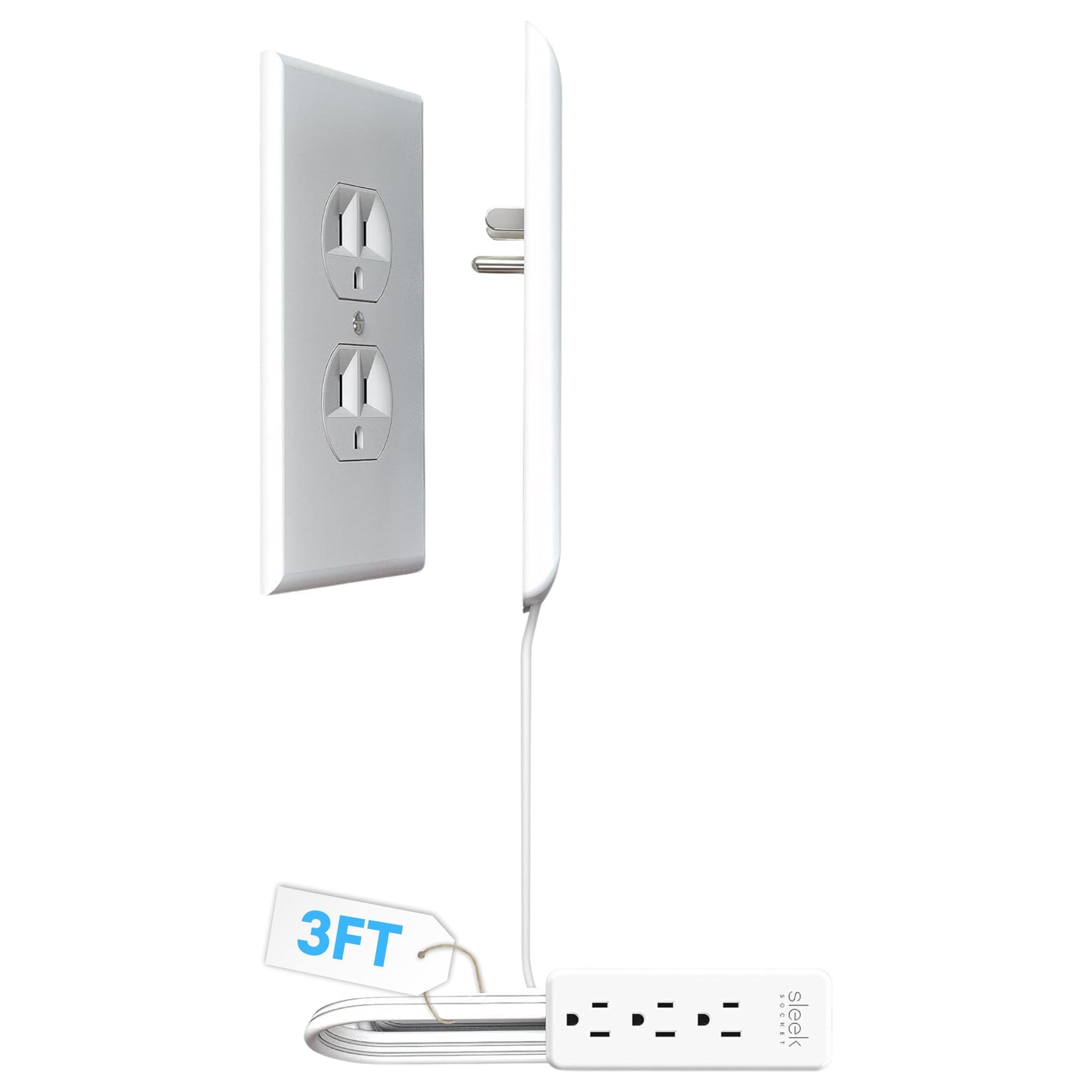
- The flat, wall-hugging design helps keep the outlet and cord discreet.
- The cord concealer kit includes removable adhesive strips and clips.
- The 3-foot concealer includes a 3-outlet power strip.
Best Gift For: A developer who wants to tidy cords near a desk or behind furniture.
Phomemo D30 Bluetooth Label Maker with 3 Tapes
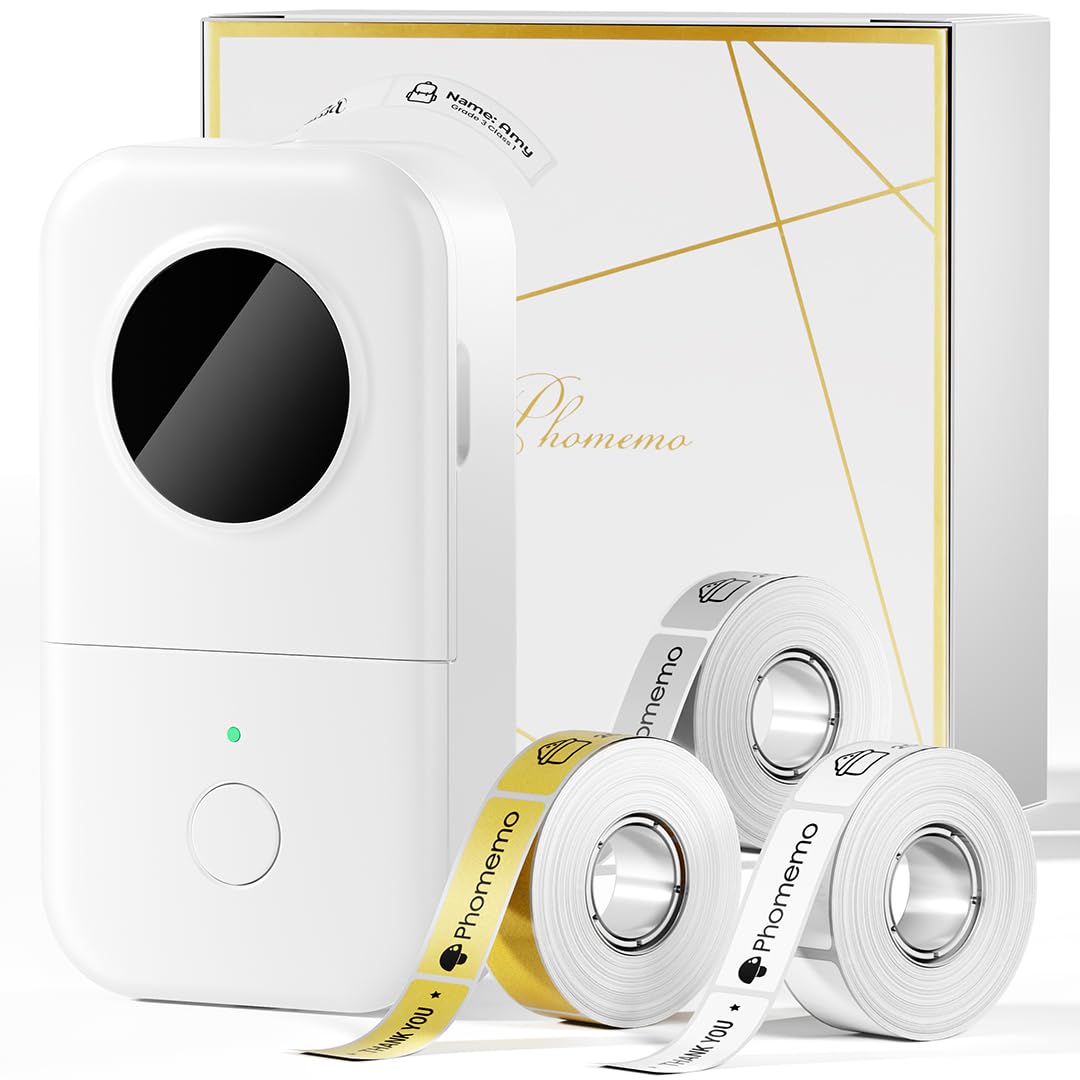
- The package includes white, gold, and clear tapes.
- Direct thermal printing works without ink, toner, or ribbons.
- It prints labels from mobile devices over Bluetooth.
Best Gift For: A developer who likes labeling cables, supplies, and office files.
SteelSeries Apex Pro HyperMagnetic Gaming Keyboard, Wired

- Per-key actuation has 40 levels of adjustment.
- The OLED display shows information from games and apps.
- USB passthrough connects an additional USB-powered device.
Best Gift For: A developer who enjoys gaming and adjusting the feel of their keyboard.
HUANUO FlowLift Dual Monitor Stand

- Fits monitors measuring 13 to 32 inches, weighing 4.4 to 19.8 lbs per arm, with 75x75mm or 100x100mm VESA mounting holes.
- Choose C-clamp or grommet mounting for wooden desks 0.59" - 3.54" thick.
- Cable management guides wires along the arms while raising screens off the desk.
Best Gift For: A developer with two compatible monitors and a suitable wooden desk.
Audioengine A2+ Wireless Desktop Speakers, Red

- Bluetooth supports wireless streaming from phones, tablets, and computers.
- USB-C, RCA, and 3.5mm AUX inputs support wired connections.
- Real wood cabinets are hand-finished.
Best Gift For: A developer who enjoys music, podcasts, or video calls at a desk.
Nulaxy Pull-Out Height Adjustable Laptop Stand

- Fits laptops from 10 to 17 inches.
- The stand adjusts laptop screen height from 1.2 to 20 inches.
- It folds for storage or portable use.
Best Gift For: A developer who wants to adjust a laptop setup between sitting and standing.
TP-Link AXE5400 Tri-Band WiFi 6E Router

- The router has a 6 GHz band for WiFi 6E.
- OneMesh support works with a TP-Link OneMesh Extender.
- It supports VPN server and client functions.
Best Gift For: A developer looking to upgrade a compatible home network for gaming and streaming.
MagSafe-Compatible 5000mAh Slim Magnetic Power Bank

- The 5000mAh battery is designed as portable backup power.
- It supports wireless charging for MagSafe-compatible iPhones.
- USB-C output can charge iPad, AirPods, and Apple Watch.
Best Gift For: A developer with a compatible iPhone who wants portable backup power for everyday outings.
MAONO Wave T5 Mini Wireless Lavalier Microphone

- The microphone offers one-tap voice filters for recording.
- The receiver has a Type-C port for charging a phone while connected.
- A charging case provides up to 40 hours of total use.
Best Gift For: A developer who records voiceovers, podcasts, or video content on the go.
1. Match gifts for developers to a real routine
When choosing gifts for developers, start with what the person actually does at their desk. Someone who spends the day in calls may appreciate a different kind of upgrade from a developer who alternates between coding and gaming or records tutorials after work.
Notice the small friction points: cords in the way, a laptop screen that sits too low, or a workspace that feels cramped. A practical gift fits best when it addresses something the recipient has mentioned or that you have seen them adjust repeatedly.
Think about where the item will live. A desk accessory needs room and a compatible setup, while a portable accessory makes more sense for someone who works from different places.
If you are unsure, favor an item whose use is straightforward and whose fit you can confirm.
2. Balance budget and usefulness
Set a comfortable spending range before comparing options. Small organizational accessories can make thoughtful gifts without turning the occasion into a major equipment purchase; larger workspace or network upgrades call for more confidence that the recipient wants them.
For a bigger-ticket idea, consider whether it solves a recurring problem or duplicates equipment already in the home office. A person with a polished setup may value a modest quality-of-life addition more than another substantial device that needs space and setup.
Check actual prices before buying because they can change. Compare the value of the whole gift, including any compatible accessories the recipient may need, and avoid assuming that a higher price automatically makes an item a better fit.
3. Personalize gifts for developers around their setup
Personalization can be as simple as choosing around the recipient’s preferred work style. For gifts for developers, think about whether they use a laptop or desktop, keep a two-screen workspace, take calls often, or enjoy building a home recording setup.
Compatibility matters with desk mounts, charging accessories, and network equipment. Check the recipient’s devices and workspace requirements before ordering, including connector type, mounting arrangement, desk construction, and available room.
A discreet question to someone close to them can prevent a well-meant mismatch.
Make the presentation feel considered with a short note explaining why you chose the gift. You can connect it to a shared joke about tangled cables or to their excitement about a side project, without implying they need to replace equipment they already like.
4. Make the gift easy to enjoy
Consider the setup effort as part of the gift. Some people enjoy installing and tuning equipment; others would rather open something ready for everyday use.
If a gift involves mounting, configuring, or pairing, make sure the recipient has the time, tools, and compatible setup it requires.
Keep the receipt and packaging accessible in case a fit issue appears after opening. For equipment that connects to a device or desk, checking compatibility beforehand is kinder than making the recipient troubleshoot a surprise on a busy workday.
Presentation can stay simple: wrap the item neatly, include the note, and let the recipient decide when to set it up. If accessories are required for their existing configuration, mention that clearly so the gift feels complete and expectations are easy to manage.
5. Handle last-minute buying thoughtfully
For a late purchase, check the current delivery estimate at checkout rather than relying on a general promise. If timing is tight, a printed note with the gift idea can mark the occasion while you confirm a realistic arrival date.
Before placing the order, recheck the exact product variant and compatibility details. Names can include useful distinctions, and ports, device fit, desk dimensions, and mounting requirements can determine whether a gift works for the recipient.
A last-minute choice can still feel personal if it reflects a real interest or routine. Keep the note specific, use the occasion to explain the thought behind the pick, and give the recipient room to choose whether and when to add it to their setup.