Content creators often balance filming and recording with editing, file transfers and a tidy workspace. These 12 gift ideas cover practical tools for several parts of that routine.
A useful choice depends on how the recipient works: recording on location, building a desktop setup, or moving files between devices. Check compatibility with their existing equipment before buying.
12 Gift Ideas for Content Creators
MAONO Wave T5 Mini Wireless Lavalier Microphone

- Records at 48kHz/24-bit for detailed audio capture.
- Choose from four voice presets for different recording styles.
- The charging case provides 40 hours of total use.
Best Gift For: Creators who record interviews, vlogs or voiceovers on the move.

FIFINE T669 USB Studio Microphone Kit

- USB plug-and-play connection for a PC or laptop.
- The cardioid capsule captures sound from the front.
- Includes a boom arm and double pop filter.
Best Gift For: Creators setting up a desk for podcasts, voiceovers or streaming.
HP Sprocket Select 2.3x3.4 Instant Photo Printer

- Prints photos on sticky-backed paper.
- The HP App offers frames and filters to personalize images.
- Its pocket-sized rechargeable design suits travel.
Best Gift For: Creators who like turning smartphone or social media photos into prints.
TP-Link AXE5400 Tri-Band WiFi 6E Router

- Tri-band WiFi supports browsing, streaming and downloading at once.
- The 6 GHz band adds bandwidth for connected activities.
- OneMesh can connect to a TP-Link OneMesh Extender.
Best Gift For: Creators upgrading a home network used for streaming and video calls.
HUANUO FlowLift Dual Monitor Stand

- Fits compatible screens from 13 to 32 inches.
- The full-motion stand tilts, swivels and rotates.
- Built-in cable management guides wires along the arms.
Best Gift For: Creators who work across two compatible monitors at a desk.
SteelSeries Apex Pro TKL Gaming Keyboard

- Adjust actuation across 40 per-key levels.
- Two actions can be programmed to one key.
- The keyboard has a detachable USB-C connection.
Best Gift For: Creators who also game and prefer a tenkeyless desktop keyboard.
Audioengine A2+ Wireless Computer Speakers

- Connects to a computer through USB-C with an integrated 24-bit DAC.
- Wireless streaming supports phones, tablets and computers.
- Hand-finished real wood cabinets reduce unwanted resonance.
Best Gift For: Creators who listen to music, podcasts or audio from a desktop setup.
Nulaxy Pull-Out Height Adjustable Laptop Stand

- The stand fits laptops from 10 to 17 inches.
- Adjust the screen height between 1.2 and 20 inches.
- It folds for storage or use in different workspaces.
Best Gift For: Creators who switch between sitting and standing while working at a laptop.
SteelSeries Aerox 3 Wireless Gaming Mouse

- The lightweight shell weighs 68g.
- Connect using 2.4GHz wireless or Bluetooth 5.0.
- The mouse has a 200-hour battery life.
Best Gift For: Creators who also enjoy wireless PC gaming.
SABRENT USB-C & USB-A SD Card Reader

- Includes both USB-C and USB-A connections.
- Dual slots support SD and Micro SD cards.
- USB 3.0 supports transfers up to 5Gbps.
Best Gift For: Creators moving photos or videos from SD or Micro SD cards to a compatible device.
SABRENT 5-in-1 USB-C Hub with 4K HDMI
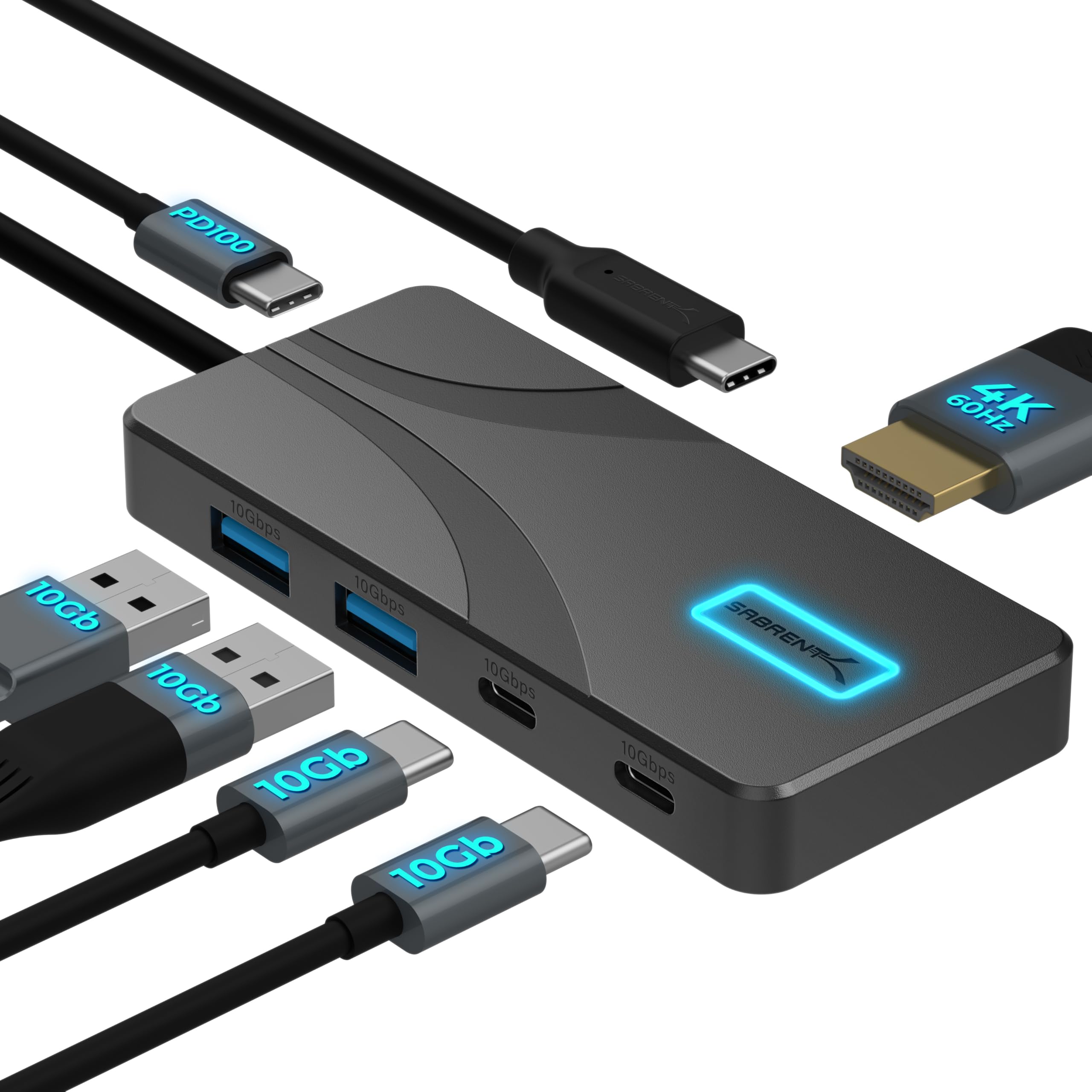
- HDMI output supports up to 4096×2160 at 60Hz.
- USB-C PD input can pass up to 80W to a laptop.
- The hub has an integrated 60cm cable.
Best Gift For: Creators who connect a laptop to peripherals or an external display.
LISEN 3-in-1 Travel Power Bank with Wall Plug
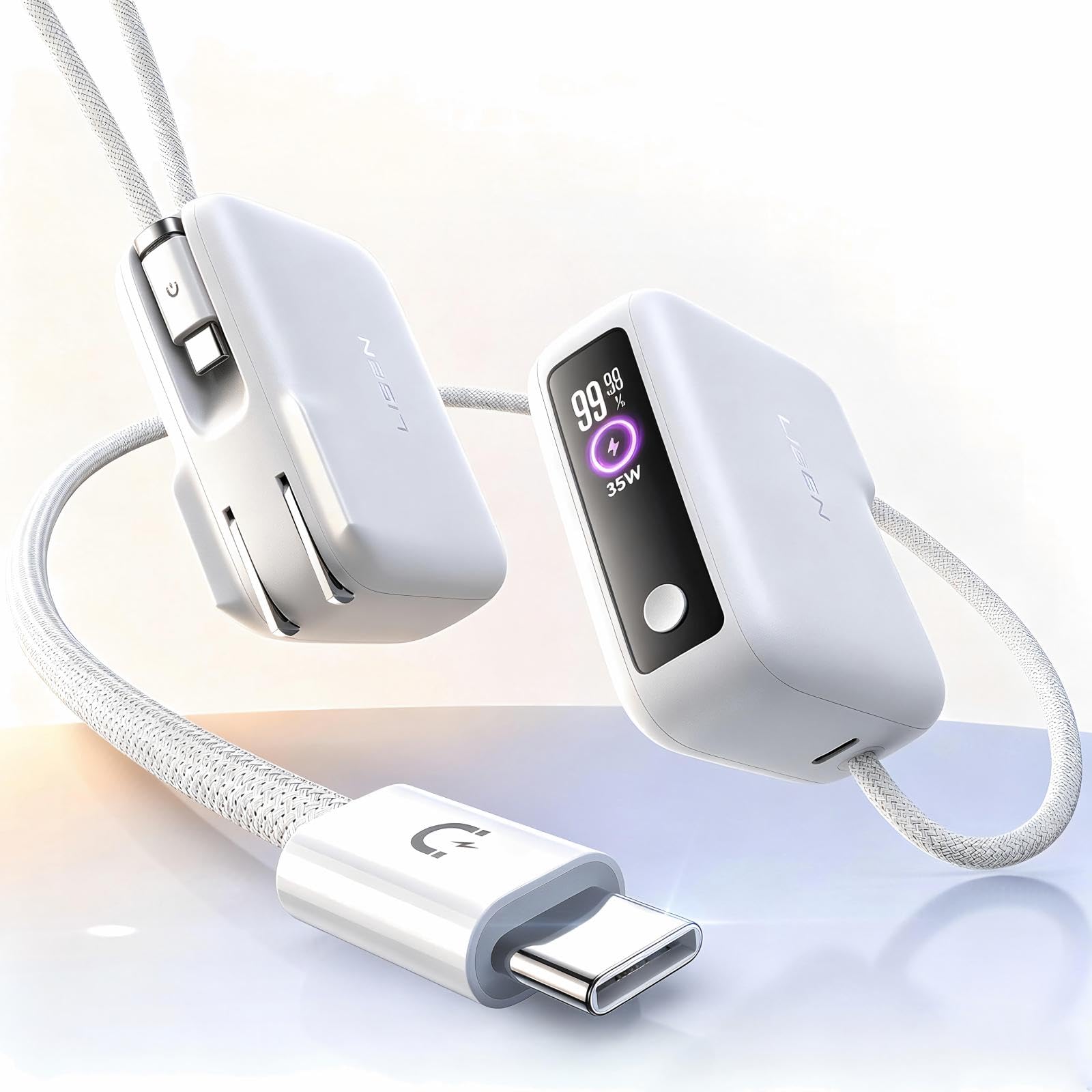
- The unit combines a wall plug and portable charger.
- Its built-in cable is 3.3 feet long.
- The power bank has 7000mAh capacity.
Best Gift For: Creators who want a portable charger for travel, workdays or photo outings.
1. Choose gifts for content creators around their workflow
For gifts for content creators, start by picturing a normal work session: where do they record, what do they edit on, and which step slows them down? A phone-first vlogger may appreciate a way to improve audio or transfer camera files, while someone who records at a desk may use a microphone, speakers or a more comfortable laptop setup.
Think about whether their work happens in one place or moves between locations. A portable printer or power bank may suit someone who shares visual work and travels, while a router or desk accessory is more relevant to a creator whose projects rely on a stable home workspace.
Check what they already own before choosing gear with a specific connection or compatibility requirement. A simple question about their phone, computer, camera cards or monitor setup can prevent a well-meant present from becoming another adapter they need to replace.
2. Match the gift to the budget and the need
A practical gift can be small or substantial; usefulness matters more than matching a particular price tier. Everyday accessories can solve a narrow frustration, such as moving files or adding ports, while larger workstation upgrades make sense when you know the recipient wants to change their setup.
For a more expensive item, consider whether it fills a clear gap and fits their current equipment. A dual monitor stand, for example, calls for compatible monitors and a suitable desk; a network upgrade makes more sense when the recipient can use its features and their internet setup supports the change.
If you are comparing options, check actual prices and current product details before ordering. Look closely at compatibility, dimensions and included components, then decide whether the improvement is meaningful enough for the recipient’s routine.
3. Personalize gifts for content creators
Gifts for content creators feel more thoughtful when they connect to a particular project or habit. For someone making regular interviews, a note about helping with their next recording gives an audio accessory a personal touch; a photo-focused creator might appreciate a small album or display idea alongside a printing gift.
Add a short message that shows you understand what they make. Mention the podcast they are developing, the videos they share with family, or the workspace they are gradually building.
This makes practical equipment feel considered without suggesting that a present will improve their talent or guarantee an audience.
Presentation can reflect their style without adding clutter. Use a simple card, a reusable pouch for a portable accessory, or wrapping in colors they like.
If the gift needs setup, offer to help them check connections or organize a work surface when they are ready.
4. Make the gift easy to use and enjoy
A little preparation can help a technical present feel welcoming. Keep the packaging and included accessories together, and check that any required cable, power adapter or compatible device is already available before the gift is opened.
When you are unsure about a larger setup change, give the recipient room to choose the timing. A card describing the idea can work well when they would prefer to check monitor fit, desk measurements or computer compatibility themselves.
For shared gifting, coordinate around one useful improvement instead of buying several overlapping accessories. That might mean helping with a workspace upgrade or pairing a small practical item with a personal note, while letting the recipient decide how it fits into their routine.
5. Last-minute buying advice for content creators
If time is short, choose a gift that matches equipment you can identify with confidence. A familiar phone or laptop connection is easier to verify than a specialized setup; when in doubt, ask a discreet question or choose a more flexible accessory.
Before checkout, confirm compatibility, dimensions, included components and the delivery estimate shown for your address. Product details and delivery timing can change, so use the current checkout information rather than assuming a past estimate still applies.
A digital note or a printed card can make a thoughtful placeholder if a carefully chosen item will arrive later. Explain why you picked it and let the recipient know when they can expect it based on the estimate you see at checkout.